
Payment GatewayThe Mechanism That Helps Protect Merchants from Expired Cards & Closed Accounts

Dado Kalem | September 4, 2025 | 18 min read

This featured video was created using artificial intelligence. The article, however, was written and edited by actual payment experts.

What is a Payment Gateway?

In a Nutshell

What is a payment gateway? Think of it as a credit card reader for online purchases. In five seconds or less, it encrypts payment card data, transmits it through the payment network, and lets the merchant know the card is cleared to make a purchase. There’s a little more to it than that, though. In this post, we talk about what gateways are, why they’re important, and a few pros and cons of using one.

What Do Payment Gateways Do? Why Do Merchants Need Them?

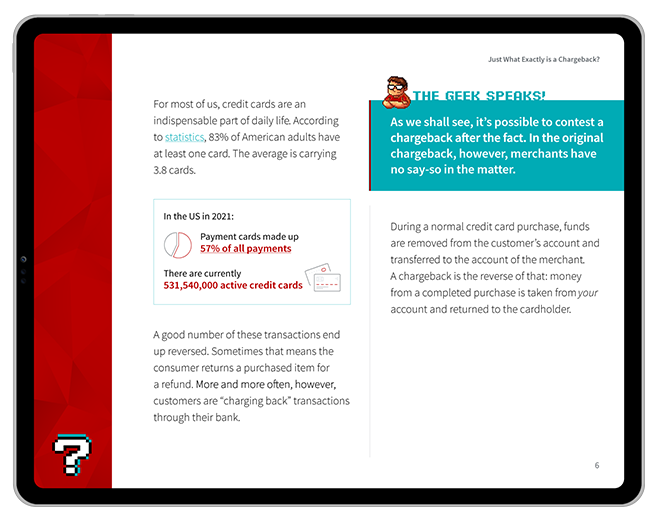
US merchants submitted 56.2 billion credit card transactions for processing in 2024. To put that in perspective, that’s 1,781 transactions per second.

Add in debit card payments, which make up about 30% of transaction frequency in the country, and it’s reasonable to project that American merchants handle more than 200 million in-person and remote transactions per day.

But how exactly do funds move? How does a dollar get from a cardholder’s account to the merchant? And, what happens between authorization and payment capture?

Payment gateway providers are a key node in the payment network. So, in this article, we’ll explore what payment gateways are and how they help make credit card transactions possible.

What is a Payment Gateway?

Payment Gateway

[noun]/pā • mənt • ɡāt • wā/

Payment gateways are software applications that encrypt and transmit customer and bank information between the merchant, the bank, and the payment processor.

Payment gateways are software applications that serve as conduits to allow cardholder data to pass securely between parties. Gateways are primarily used for eCommerce; for all practical purposes, online stores can’t accept credit card payments without one.

While brick-and-mortar stores can use a gateway, they typically rely on their physical card readers to transmit payment data from the cardholder to the acquiring bank. Obviously, online stores don’t have that advantage, so they require a different solution. 

Having a gateway eliminates your need for manual input of credit card numbers. This speeds up the checkout process and increases accuracy. Customers are actually interacting with the gateway when they key in card data on your checkout page. The gateway encrypts the information so it isn’t accessed and misused by cyber criminals, then transmits it to the processor. 

The application will also tell you whether a transaction has been authorized or declined by the issuer. More sophisticated gateways may provide additional functions, such as screening transactions for potential fraud.

Gateways help secure cardholder data.

But, cybercriminals have other tricks. Talk to us about a truly comprehensive fraud prevention strategy

Request a Demo
The Original End-to-End Chargeback Management Platform

How Do Payment Gateways Work? 

There are two types of payment gateways. First, we have integrated gateways, which are built directly into a merchant’s eCommerce platform. In contrast, third-party systems send customers to an external site for checkout.

The payment gateway’s role in this process is primarily to ensure that the transaction is routed through a secure connection. It encrypts cardholder information, and also performs fraud checks before sending the card data to the processor.

The process typically follows the same basic flow:

  • Cardholder places an order through merchant's checkout page. Transaction details are forwarded to payment gateway.
  • Gateway submits this information to merchant’s acquiring bank. This is often done through a third-party processor.
  • Transaction information goes to the card network (Visa, Mastercard, etc.), which routes it to issuing bank.
  • The bank checks available funds or credit, then informs the network whether the transaction is approved or declined.
Important!

Approving a transaction is not the same as authorizing one. This initial check only looks for signs of fraud, and makes sure the cardholder has the necessary funds or credit available.

Up to this point, the information has been flowing primarily in one direction. Now, though, the data does an about-face and travels the same course, but in reverse:

  • Issuer’s response is sent back to the card network, who routes it to the merchant’s payment processor.
  • Payment processor forwards the information to the payment gateway, which forwards it to the merchant.
  • Merchant informs cardholder that the transaction has either been approved or declined, as per bank response.
  • If everything checks out, merchant completes the transaction and receives the funds after finalizing and batching.

The entire process is usually completed within 5 seconds, which is why it seems so uncomplicated to the end user.

How Much Does a Payment Gateway Cost?

Pricing on a gateway system can be hard to determine because there are so many moving pieces. Multiple parties are involved, and most add their own fees to the mix. While merchants may not pay these fees directly, they will be added to the cost of the gateway.

Each provider has their own terms of use and their own way of calculating pricing. Some typical fees involved include:

Merchant Account Setup

As we mentioned, you’ll need a merchant account to accept credit cards. This usually comes with a one-time setup fee, but you’ll also be charged ongoing fees, which will be discussed below.

Gateway Setup and Integration

Some providers include set-up at no extra cost, while others charge $1,000 or more.

Monthly Service Fees

Although some providers may not assess these fees, monthly fees usually fall somewhere in the $10-25 range.

Per-Transaction Fee

This is normally a set amount, plus a percentage of the sale. The set amount commonly runs $0.05 to $0.50, and the percentage will be 2.5 - 4.5%. This is on top of the transaction cost of your merchant account.

Additional Fees 

Some may charge extra for certain services such as cross-border transactions or for accepting less-widely used card brands.

Why Do I Need a Payment Gateway?

A payment gateway protects your customers’ data. It also helps ensure your funds and all transaction information get sent to the right place.

Strictly speaking, you don’t absolutely need to have one. There are ways of skirting the issue, such as only accepting payments through a service provider like PayPal. That could limit your options substantially, though. For most entities that accept online payments — regardless whether you’re a retailer, a service provider, a nonprofit organization, etc. — you probably don’t have much of a choice. 
With no access to the customer’s actual card, the risk posed by payment fraud is considerably higher for online stores. If personal cardholder data is compromised, your business may get the blame. Payment gateways safeguard your shopper’s payment data, and in the process, protect you from fraud and chargebacks. They follow strict procedures for securing data, as defined by the PCI-DSS compliance standard.

Gateways offer other benefits, as well. They simplify the payment process for your online store and help you receive payments faster. At the same time, your gateway shields your business from expired cards or accounts with insufficient credit.

Payment Gateways vs. Payment Processors

While the terms are often used interchangeably, “payment gateways” and “payment processors” are not the same thing. Any merchant who wishes to accept credit cards must have a payment processor. As we mentioned above, though, the need for a payment gateway is primarily for online commerce. Here’s a side-by-side comparison of the two services.

Payment ProcessorPayment Gateway
Facilitates communication between the merchant and bank for fund transferCollects and verifies the buyer’s credit card information; encrypts data for transmission
Validates card information for card-present salesValidates card information for card-not-present sales
Necessary for any merchant accepting credit cardsNecessary for online merchants
Can function as a stand-alone serviceStill requires a payment processor

Complicating the issue even further, a number of payment processor gateway providers, such as PayPal and Stripe, fulfill a dual function. They offer payment processing and acquiring services, as well as a built-in payment gateway on the platform. These services are a “one-stop shop” for merchant services.

Need a fraud and chargeback gatekeeper?

Request your free demo and get started today.

Request a Demo
The Original End-to-End Chargeback Management Platform

Alright, so now that all that information is out of the way, it’s time for the $64,000 question: how should you go about choosing a payment gateway?

I recommend approaching it like any other business purchase: consider pricing, features, and any sticking points that you might consider a dealbreaker. In the next sections, we’ll do a rundown of key considerations to help you choose the right payment gateway provider.

Payment Gateway Costs

Likely at the very top of your mind is how much your payment gateway will cost. Unfortunately, credit card processing fee structures are complex, and there are many different costs to consider. These include:

Merchant Account Setup

As we mentioned, you’ll need a merchant account to accept credit cards. This usually comes with a one-time setup fee, but you’ll also be charged ongoing fees, which will be discussed below.

Gateway Setup and Integration

Some providers include set-up at no extra cost, while others charge $1,000 or more.

Monthly Service Fees

Although some providers may not assess these fees, monthly fees usually fall somewhere in the $10-25 range.

Per-Transaction Fee

This is normally a set amount, plus a percentage of the sale. The set amount commonly runs $0.05 to $0.50, and the percentage will be 2.5 - 4.5%. This is on top of the transaction cost of your merchant account.

Additional Fees 

Some may charge extra for certain services such as cross-border transactions or for accepting less-widely used card brands.

Evaluating Payment Gateway Features

Of course, pricing is only half the equation. You’ll also want to consider what you get for your money, and whether a payment gateway’s features are right for your business’ needs. Take into consideration:

Set-Up & Integration

You need a merchant account to accept credit card payments. If you don’t currently have one, some providers will help you set one up. The best solutions also offer streamlined integration to get you up and running quickly. Also, be sure your service will be available after the sale to correct minor issues that may arise.

Multiple Payment Methods

Payment services such as Apple Pay, and even alt payment methods like cryptocurrency, are growing in popularity. Will your gateway be equipped to handle them? Another thing to consider is support for automatic recurring payments. If your business uses a subscription-based model, be sure your gateway partner can accommodate that.

User Experience

Integration is important, but the real deciding factor should be the user experience. Is checkout overly complicated on some devices? Is the process too slow? Do you ask for too much information? If so, it could lead to cart abandonment.

Multiple Currencies

Along the same lines, businesses who wish to accept cross-border payments may need a gateway that supports multiple currencies and/or Dynamic Currency Conversion. This might also involve additional fees.

Permitted Products 

Some verticals may pose a greater threat than others. Some gateway providers won't work with sellers who deal in certain products (adult materials, gaming, etc.). Make sure to choose a service that permits your products.

Amount Limits

Gateway providers often set minimum and maximum amounts per transaction limits. Having a $5.00 minimum, for example, might be fine for most eCommerce, but many digital products sell for lower than that. Ensure your gateway limits will work for everything you sell.

Security

The payment gateway you choose must adhere to the PCI security regulations. This mandate protects your customers — and your business — by safeguarding sensitive cardholder information. 

Payment Gateway Red Flags to Avoid

Don’t just pay attention to the “good” features. Warning signs deserve your attention as well.

Compile a list of non-negotiables that every vendor must meet, and immediately strike those that raise red flags. These should include:

Red Flag

Hidden Fees

Some sketchy vendors may tack on hidden fees that push costs well beyond their advertised rates. For instance, look for poorly-disclosed monthly minimums or “network access” charges on sample statements. Ask for a complete fee schedule and question any line item you don’t understand before signing a contract.

Red Flag

Poor Customer Service

Test providers before you become a customer by calling their support line with technical questions. The quality of support you receive as a prospect is often the best you can expect as a client. If you can’t get a knowledgeable person on the phone quickly, consider how that will feel during a service outage, data breach, or other emergency event.

Red Flag

Inadequate Security Measures

Trust, but verify. If a payment gateway provider says they’re PCI-compliant, ask them to show you their Attestation of Compliance (AOC). Also, search for news of past data breaches or security lapses, as a history of security issues can indicate systemic weaknesses.

Red Flag

Aggressive Contract Terms

Be wary of long-term contracts with steep early termination fees. Inflexible clauses can lock you into a relationship with a provider that no longer meets your needs. Also, be on the lookout for language that allows the provider to escalate fees with little notice. A partner-focused provider will offer transparent, fair, and flexible terms that don’t rely on surprise tactics.

Red Flag

Limited Integrations

Ideally, a payment gateway should feature tight integrations across your tech and operational stack, including your eCommerce platform, accounting system, security tools, and analytics suite. A lack of deep integrations suggests the provider isn’t invested in the broader eCommerce ecosystem. This can create data silos that require significant manual workarounds as you expand.

Leading Payment Gateway Providers Compared

There are dozens of payment gateways to choose from, so it can be difficult to sift through all the noise to find one that’s best for your business.

To save you time, we’ve summarized the key features offered by several leading payment gateway providers below:

Stripe Logo

Stripe

Stripe is frequently the top choice for online businesses that prioritize technology and customization

Their powerful and well-documented APIs allow for deep integrations and unique payment experiences, making them a favorite, particularly among developers. Beyond technical prowess, Stripe offers a comprehensive suite of tools to manage everything from recurring billing to fraud prevention

Key features include:

  • Extensive APIs: Stripe’s rich developer tools allow for complete control over the checkout experience
  • Unified Platform: Online payments, subscriptions, invoicing, and in-person payments, all through Stripe Terminal
  • Global Reach: Supports processing in over 135 currencies and local payment methods
  • Advanced Fraud Prevention: Stripe Radar, the company’s machine-learning-based fraud detection tool, is available for a fee and provides sophisticated risk scoring and rule customization
Fees icon

Transaction Fees and Pricing Models:

Standard rate: 2.9% + $0.30 for online transactions
Custom pricing for high-volume merchants

Globe icon with currencies

Supported Countries and Currencies:

45+ countries, 135+ currencies

Payment integration

Integration Complexity:

Developer-focused with powerful APIs and extensive documentation
Low/no-code options available

Fraud Prevention

Fraud Prevention Tools:

Stripe Radar: Advanced, machine-learning-based fraud detection available for an extra fee

Customer Support

Customer Support Quality:

24/7 phone, email, and chat support
Premium support is available

Braintree Logo

Braintree

PayPal, which acquired Braintree in 2013, now offers a two-pronged solution: the simple, trusted PayPal button for checkout and Braintree’s robust payment gateway for more traditional credit card processing. This combination provides both brand recognition and powerful backend processing

As one of the most recognized payment brands globally, PayPal offers instant trust and familiarity to customers. Key features include:

Key features include:

  • High Brand Trust: The PayPal brand is synonymous with secure online payments, which can help boost conversion rates
  • Flexible Gateway: Braintree provides a full-stack payment platform that accepts cards, digital wallets like Apple Pay and Google Pay, and local payment methods
  • Venmo Integration: Braintree allows merchants to accept Venmo, tapping into a younger, mobile-first customer base
  • Basic and Advanced Fraud Tools: Comes with Basic Fraud Tools for free, with the option to add Premium Fraud Management Tools for an additional fee
Fees icon

Transaction Fees and Pricing Models:

PayPal: 2.89% + $0.29 to 3.49% + $0.30
Braintree: 2.59% + $0.49

Globe icon with currencies

Supported Countries and Currencies:

PayPal: 200+ countries, 25 currencies
Braintree: 45+ countries, 130+ currencies

Payment integration

Integration Complexity:

PayPal: Very simple (copy-paste button).
Braintree: Requires some development work but has good SDKs

Fraud Prevention

Fraud Prevention Tools:

Basic tools included; advanced features available for an extra fee

Customer Support

Customer Support Quality:

PayPal: Phone, email, and live chat during business hours
Braintree: Phone and email support during business hours

Square Logo

Square

Square excels at unifying online and in-person sales, making it a perfect choice for brick-and-mortar businesses expanding into eCommerce (or vice versa).

Its key strength is its ecosystem of hardware and software that works together seamlessly. The setup is straightforward, which allows businesses to start accepting payments quickly with minimal technical knowledge.

Key features include:

  • Omnichannel Focus: Seamlessly syncs inventory and customer data across virtual and physical point-of-sale (POS) systems.
  • Ease of Use: Known for their user-friendly interface and straightforward setup, requiring no development skills for basic implementation.
  • All-in-One Solution: Offers a wide range of business tools, including payroll, marketing, loans, checking accounts, loyalty programs, and appointment scheduling (all integrated with payments).
  • No Chargeback Fees: Unlike many competitors, Square does not charge a fee if you receive a dispute.
Fees icon

Transaction Fees and Pricing Models:

Standard rate: 2.9% + $0.30 for online;
2.6% + $0.15 for in-person
Subscription plans available

Globe icon with currencies

Supported Countries and Currencies:

Accepts payments in 8 countries (USD, CAD, AUD, JPY, GBP, EUR, CHF)

Payment integration

Integration Complexity:

Extremely simple for both online and POS setup, with minimal coding required

Fraud Prevention

Fraud Prevention Tools:

Standard risk evaluation and security features are included

Customer Support

Customer Support Quality:

Phone support available; Plus plans get 24/7 support

Authorize.net Logo

Authorize.net

Now owned by Visa, Authorize.net is a reliable and feature-rich option trusted by millions of merchants.

They can offer service as just a gateway, allowing you to use your own merchant account, or as an all-in-one solution. Their Advanced Fraud Detection Suite (AFDS) is highly customizable and included at no extra cost.

Key features include:

  • Gateway-Only Option: Provides the flexibility to connect with virtually any merchant account provider so that you can shop for the best rates.
  • Advanced Fraud Detection Suite (AFDS): Offers a powerful set of configurable filters and tools to help you screen transactions and minimize fraud.
  • Customer Information Manager (CIM): Securely stores sensitive customer payment data on proprietary servers, which simplifies PCI compliance and makes recurring billing easier.
  • Broad Integration: Compatible with a vast number of shopping carts, billing systems, and other business applications.
Fees icon

Transaction Fees and Pricing Models:

All-in-One: 2.9% + $0.30 + $25/mo
Gateway Only: $25/mo + $0.10 per transaction

Globe icon with currencies

Supported Countries and Currencies:

Primarily focused on North America, Europe, and Australia

Payment integration

Integration Complexity:

Moderate complexity, with many pre-built integrations available

Fraud Prevention

Fraud Prevention Tools:

Advanced Fraud Detection Suite (AFDS): included for free and highly customizable

Customer Support

Customer Support Quality:

24/7 support via phone, chat, and online form

Adyen Logo

Adyen

Headquartered in the Netherlands, Adyen is an all-in-one payment platform built for large, global enterprises that require a single system to manage payments across all channels and regions.

They combine the roles of a gateway, processor, and acquirer, which simplifies the payment flow and provides richer data insights. Adyen’s model is best suited for businesses with significant transaction volume and complex international needs, rather than smaller operations.

Key features include:

  • Single Global Platform: Enables businesses to accept, process, and settle payments from anywhere in the world through a single integration.
  • Data-Rich Insights: By controlling the entire payment flow, Adyen provides deep data and analytics that can be used to optimize authorization rates.
  • Unified Commerce: Connects online, mobile, and in-store payment channels into one system for a consistent customer experience.
  • RevenueProtect: Offers a sophisticated, built-in risk management solution that uses machine learning to prevent fraud while maximizing conversions
Fees icon

Transaction Fees and Pricing Models:

Interchange-Plus Pricing: fixed fee + scheme fee + interchange fee
Geared toward enterprises

Globe icon with currencies

Supported Countries and Currencies:

Global reach with extensive local payment method support

Payment integration

Integration Complexity:

More complex; designed for enterprise businesses with dedicated development teams

Fraud Prevention

Fraud Prevention Tools:

RevenueProtect: Integrated, enterprise-grade risk management system

Customer Support

Customer Support Quality:

Dedicated support for enterprise clients

Optimizing Your Payment Gateway Performance

Once your gateway is running, you can set it and forget it. That’s fine for some merchants, but it’s not going to result in the best performance, highest approval rates, or lowest costs. For optimal performance, you’ll need to invest time into fine-tuning how your payment gateway handles transactions and manages risk.

Best practices for improving performance include:

Idea Icon

Optimal Descriptor Settings

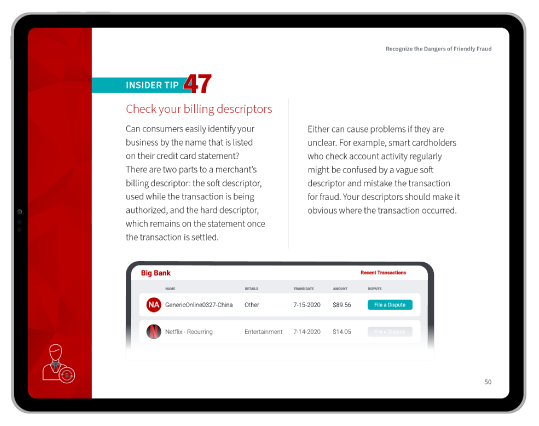
Dynamic billing descriptors that include your recognizable brand name alongside a product or service identifier can help customers recognize the charge on their statement. This, in turn, can lower the incidence of accidental friendly fraud chargebacks from customers who simply don’t remember they bought something from you.

Idea Icon

Retry Logic

Implement intelligent retry logic that attempts to re-process soft declines (e.g. insufficient funds, temporary technical issues, etc.) at a later time or through a different processor if you use a multi-processor setup. You can customize the logic based on decline codes for the best results.

Important!

You should retry soft declines only. Avoid retrying hard declines (e.g. lost/stolen card, closed account, etc.).

Idea Icon

Card Updater Services

Use an automatic account updater service offered by your gateway or a third party. These services automatically update expired or replaced card details for recurring billing, which can help prevent failed subscription renewals and unnecessary customer churn.

Idea Icon

Regional Processing Optimization

If you sell internationally, route transactions through a local acquiring bank whenever possible. Cross-border transactions generally have higher decline rates, so using a gateway that supports local processing in your key markets can significantly boost approvals.

Idea Icon

Fine-Tune Your Fraud Filters

Regularly review your gateway’s fraud filter settings and denied transactions. If you see a pattern of good orders being declined from a specific geolocation or IP address cluster, you may want to adjust the rules. Avoid using default, out-of-the-box filter settings, and customize them to your address threats from your fraud surface.

Idea Icon

Implement 3-D Secure Selectively

Apply 3-D Secure dynamically, rather than for every transaction. Use it for high-risk orders, such as unusually large purchases or transactions from new customers in high-risk regions. Forcing it on every customer can add friction and lead to abandoned carts.

Idea Icon

Address Verification Settings

Consider customizing your Address Verification System (AVS) settings to allow partial matches. For example, instead of requiring a perfect match on both the street address and ZIP code, consider accepting transactions from trusted customers that match the street address, but with a one-digit mismatch on the ZIP code. This can prevent declines caused by minor typos or formatting differences.

Idea Icon

Supply Extra Data

If you primarily engage in B2B transactions, try to pass on as much transaction data as possible, including Level 2 and Level 3 card data like invoice numbers and line-item details. This enhanced data provides more security for issuers, who may in turn reward you with lower interchange rates.

Idea Icon

Batch Transactions Efficiently

Settle your authorized transactions in a single batch each day. Closing batches more frequently can sometimes incur extra fees, while waiting too long can lead to authorizations expiring. Check with your provider for their recommended best practice for settlement timing to minimize costs.

Idea Icon

Avoid Downgrades

A downgrade occurs when a transaction fails to meet the requirements for a specific interchange category and gets processed at a more expensive rate. This is often caused by settling authorizations too late or failing to pass required data fields. Monitor your processing statements for downgrades and work with your provider to fix the root cause.

Common Payment Gateway Problems & How to Fix Them

Even with the right payment gateway provider, you can face technical and operational issues. Here’s a look at common problems and how to troubleshoot them.

Idea Icon

High Decline Rates

High decline rates often stem from fraud filters that are too restrictive or a mismatch between your business and the issuing bank’s risk tolerance.

How to fix: Analyze your decline codes to see if the issue is with fraud rules, customer data entry, or issuing banks, and then adjust accordingly.

Idea Icon

Integration Errors

Integration errors can cause a variety of data issues, from orders that fail to appear in your system to incorrect sales tax calculations. These often result from API misconfigurations or outdated plugins.

How to fix: Use a sandbox environment to conduct end-to-end testing before going live, and ensure your development team follows your gateway provider’s integration documentation precisely.

Idea Icon

Slow Processing Times

Slow processing — where the checkout page hangs for several seconds before confirming a payment — can be caused by server latency, complex fraud checks, or network issues between the gateway and processors.

How to fix: Work with your gateway’s technical support team to address configuration or plugin issues, determine whether you have adequate hardware, and audit your caching and load balancing practices.

Did You Know?

Customers are impatient. Every additional second of load time between 0 and 5 seconds can cause conversion rates to drop off by more than 4%.

Idea Icon

Recurring Payment Failures

Subscription-based businesses often see payment failures when a customer’s stored card expires or is replaced.

How to fix: In addition to using a card updater service, automatically email customers before their card expires and implement smart dunning strategies that orchestrate retry attempts at different times of the day.

Idea Icon

Currency & International Issues

Selling internationally can lead to problems with currency conversions or declines from foreign banks that are wary of cross-border fraud.

How to fix: Use a gateway that supports multi-currency processing and local acquirers to settle transactions in your customer’s native currency, which can significantly improve success rates.

Idea Icon

Customer Data Update Challenges

Allowing customers to easily update their payment information in a self-service portal is important, but it can also be a security challenge.

How to fix: Use your payment gateway’s tokenization services to ensure that sensitive card data is never stored on your servers.

Common QuestionWhen Should You Consider Switching Payment Gateways?It’s time to switch gateways when the problems you face create significant opportunity costs or strategic roadblocks. If your decline rates remain high despite optimization efforts, if frequent outages (or worse, data breaches) are damaging your brand, or if the gateway cannot support your expansion into new markets or payment methods, then the cost of staying is likely greater than the cost of moving.

Managing Your Payment Gateway Relationship

Your payment gateway is one of the key components of your tech stack. Your relationship with your gateway vendor can make or break your business.

Proactively managing this relationship helps you resolve issues faster, negotiate better rates, and gain access to new features that can help you grow. I suggest that you:

Tip

Monitor Key Metrics

Track your gateway performance daily by monitoring your approval rate, decline rate, and any fraud or error codes. On a monthly basis, review your processing statements for fee accuracy and transaction downgrades. Annually, review your overall costs against your transaction volume to determine if you have enough leverage to negotiate better rates.

Tip

Stay Compliant

Stay informed about evolving compliance mandates like PCI-DSS and 3-D Secure. Your gateway provider should offer resources and support to help you meet these requirements, but ultimately, the responsibility is yours. Regularly check your provider’s documentation and establish dialogue about upcoming changes that may affect your business.

Tip

Know How to Contact Support

Use your provider’s emergency support hotline immediately for urgent issues like a widespread outage. For non-urgent issues, like questions about a specific transaction or a feature, submit a detailed support ticket through the provider’s portal. To get the best results, provide as much information as possible — including specific transaction IDs, timestamps, and error messages — so your gateway vendor’s support team can diagnose the problem without unnecessary back and forth.

Tip

Negotiate Better Rates

As your business grows, you can use your transaction volume to your advantage. Schedule a quarterly or annual review with your point of contact and come prepared with data on your volume growth, your chargeback ratio, and average ticket size. Frame your request for lower rates as a reflection of your low risk profile and your value as a long-term partner.

Tip

Access Beta Features

Express interest in participating in beta programs for new features or alternative payment methods like buy now pay later (BNPL). Getting early access allows you to stay ahead of competitors and provide more options to your customers.

Tip

Collaborate With Your Account Manager

Treat your assigned account manager as a strategic partner, rather than just a contact person for problems. Schedule brief quarterly check-ins to discuss your business goals, upcoming marketing campaigns, and international expansion plans. A manager who understands your business is more likely to advocate for you internally and bring you proactive solutions.

Tip

Maintain Detailed Records

Keep meticulous records of all communications with your provider, including support tickets, rate agreements, and any custom rule changes made to your account. This documentation can help you hold your provider accountable, troubleshoot recurring issues, and ensure a smooth transition if you ever decide to migrate to a new gateway.

Tip

Plan for Gateway Migrations

Even if you’re satisfied with your provider, you should have a basic plan for a potential migration. This involves ensuring your customer payment data is stored as portable tokens with the provider so you can transfer them to a new gateway if needed. Without token portability, switching gateways can mean asking every customer to re-enter their payment information, a massive undertaking that is likely to cause customer churn.

Payment Gateways: One Small Step in the Payment Process

Payment gateways play a vital role in the payment process, particularly for eCommerce. This software helps merchants streamline their operations and – more importantly – protect cardholder information in transit. Because each transaction is reviewed prior to authorization, gateways also have a role in preventing card fraud.

Pre-transaction fraud screening may not significantly impact customer disputes and chargebacks, though. Many disputes are the result of first-party fraud, which happens after the fact. True fraud prevention and risk mitigation requires a more comprehensive approach. 

To learn about chargeback management help that goes beyond the minimal assistance offered through PayPal and other processors, talk to Chargebacks911® about a free chargeback analysis today.

FAQs

What is a payment gateway?

A payment gateway is the online equivalent of a physical point-of-sale. It’s a software tool that allows eCommerce sellers to authenticate and transmit customer credit and debit card information to the merchant’s acquiring bank for processing.

What is a disadvantage of a payment gateway?

One disadvantage of a payment gateway is that it can be more expensive to use than a physical point-of-sale device. That’s because merchants who accept card-not-present purchases usually incur higher fees than brick-and-mortar retailers who primarily encounter card-present transactions.

How do I create a payment gateway?

You can build your own payment gateway by implementing PCI-DSS compliant hosting, forming relationships with issuing and acquiring banks, developing the front-end and back-end system, testing your gateway for functionality and security, and then finally launching it to the public. You’ll also need to regularly monitor, maintain, and update your payment gateway to ensure that its security vulnerabilities are patched and that it continues to remain in compliance with industry standards.

Which payment gateway is best?

Leading payment gateways include third-party providers like Stripe, PayPal, Square, Adyen, and Authorize.net.

Are payment gateways safe?

Yes. Payment gateways are generally safe to use, and are developed in accordance with PCI regulations. Payment gateways will also have built-in security features like encryption and tokenization, and the service providers who build them may audit and maintain them regularly.

Like What You're Reading? Join our newsletter and stay up to date on the latest in payments and eCommerce trends.
Newsletter Signup
We’ll run the numbers; You’ll see the savings.
triangle shape background particle triangle shape background particle triangle shape background particle
Please share a few details and we'll connect with you!
Revenue Recovery icon
Over 18,000 companies recovered revenue with products from Chargebacks911
Close Form
Embed code has been copied to clipboard