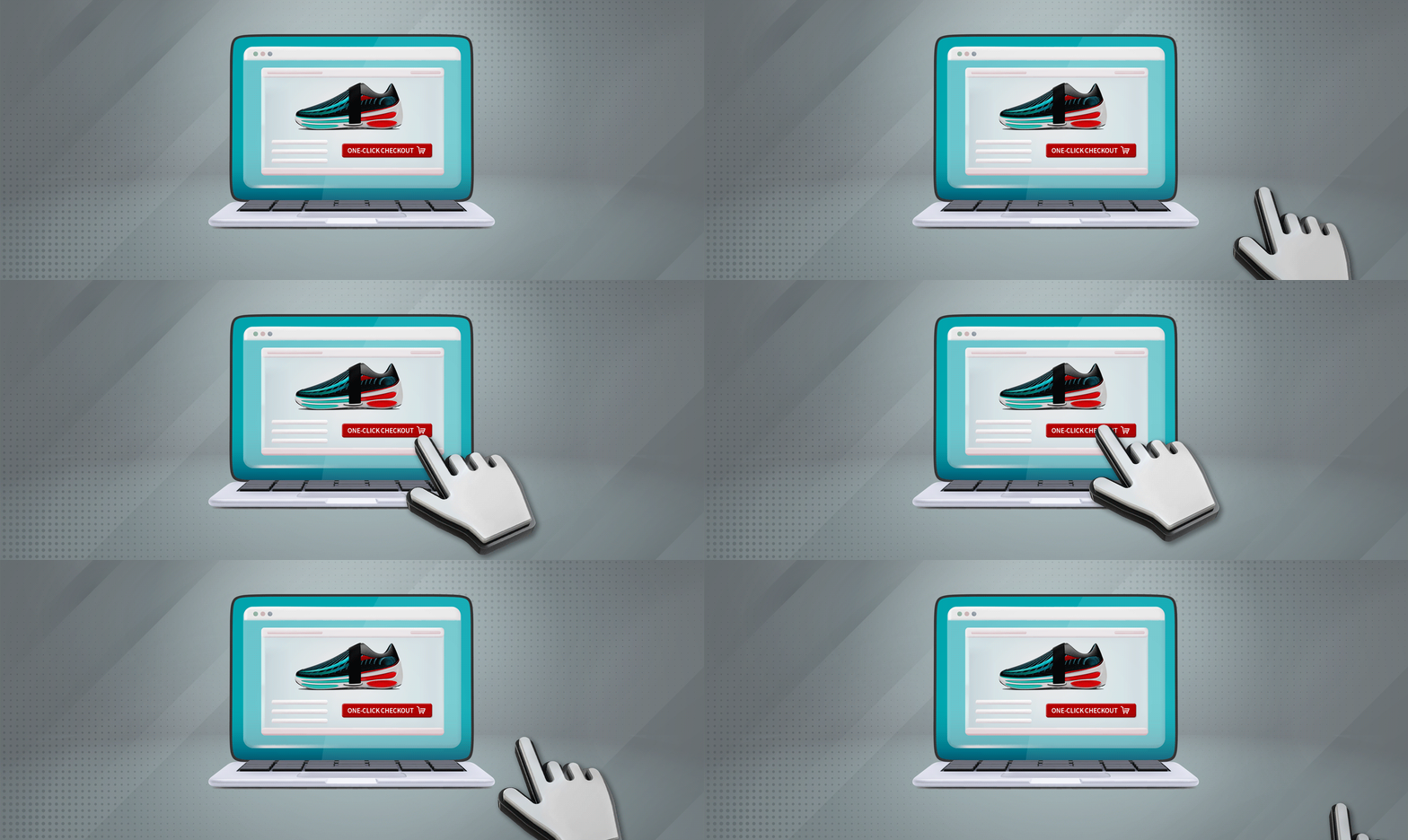
One-Click CheckoutWhat Merchants Need to Know Before Adoption

David Pirtle | September 8, 2025 | 11 min read

This featured video was created using artificial intelligence. The article, however, was written and edited by actual payment experts.

What is One-Click Checkout?

In a Nutshell

More and more consumers are being drawn to one-click checkout whenever they shop online. In this post, we explore how one-click checkout works, the benefits it offers consumers and merchants, and things to consider before adding it to your site.

One-Click Checkout: Fast & Smooth Interactions May Come at a Price

Have you ever tested the checkout process out on your own site?

When you do this, you need to approach it from your customer’s perspective. As a buyer, you’re just trying to get the goods you want. Every extra field you need to fill out is a barrier; a potential jumping-off point. It’s worse if you have to go through the same process every time they revisit your site.

Consumers are being drawn to one-click checkout whenever they shop online. If you haven’t gotten on board yet, it may be time to reexamine your overall customer experience. In this post, we explore the specifics of one-click checkout, including how it works, how you can get it, and whether it’s a good fit for all merchants.  

What is One-Click Checkout?

One-Click Checkout

[noun]/Wən • klik • CHek • out/

One-click checkout is a practice that may be implemented as part of the eCommerce checkout process. It lets users set default payment credentials and shipping information to make future purchases with the click of a single button.

Essentially, one-click is an “express lane” through the typical online checkout procedure. As the name implies, customers can complete a transaction with just a single mouse click or finger tap. The system auto-fills the cardholder’s personal information by accessing data that was entered and used for a previous purchase. 

One-click checkout was originally introduced by Amazon. At the time, the process was such a novel concept that the online giant was able to patent it for internal use. That patent expired in 2017, which is good news for both merchants and consumers.

One-click payments are a win-win. Customers get a streamlined process, while you benefit from higher conversion, less cart abandonment, and greater long-term customer value.
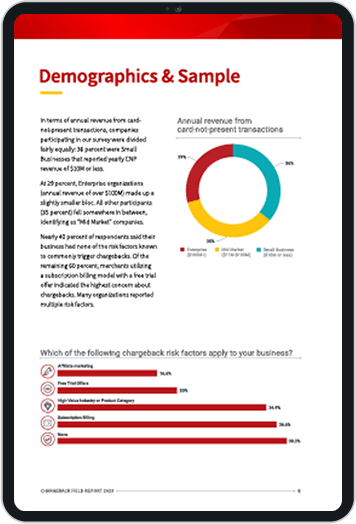
or 1-Click Checkout

One-click checkout can help reduce friction in the eCommerce payment process

How Does One-Click Checkout Work?

Before one-click shopping can take place, a shopper must go through the traditional checkout process at least once. The buyer enters all the necessary personal data (name, shipping and billing addresses, contact information, etc.) as well as payment card details such as card number, CVV, and expiration date.

All that data is captured, tokenized, and stored on the merchant’s secure server. When the customer revisits the site, they have the option of paying with a simple click from any product page or cart, bypassing checkout entirely. Customers have a designated time period to edit or cancel before the purchase is automatically authorized and processed.

The merchant may choose to include an additional confirmation page. Also, payment methods like PayPal may require the buyer to enter information through a pop-up window. In other words, “one-click” isn’t always a literal description, but the spirit is the same.

Even with these additional steps, though, the purchase process is much faster and easier than traditional eCommerce. Friction is removed, making it easier for buyers to complete transactions. They’re more inclined to make future purchases with you as a result.

How Does One-Click Checkout Benefit Merchants?

For users, the most direct perk of one-click checkout is convenience. But that benefit comes back to the merchant in different ways:

Fewer Abandoned Carts

A complicated or lengthy checkout is the third most-common reason for cart abandonment. One-click checkout streamlines and simplifies the entire process, giving the buyer less reason to walk away before finalizing the sale.

More Buys on Impulse

By definition, impulse buying doesn’t involve a logical decision-making process. Time-intensive checkout procedures give the buyer time to reconsider and, possibly, to walk away. The faster the checkout, the more likely it is that the sale will happen.

Keeps Customers Coming Back for More

When paired with an automated card account updater, one-click checkout can prevent declines due to expired card information. This makes it easy and attractive for buyers to shop at your store again and again, since they don’t have to enter their personal info every time they buy, and they don’t need to update information between purchases.

Easily canceled mistakes

That almost seems counter-intuitive: wouldn’t easy order cancelation encourage customers to cancel? That’s the wrong way to look at it, though. If a customer accidentally purchases the wrong item, they’re going to cancel the sale anyway. Stopping the transaction before it goes through is less hassle for everyone, and decreases the odds that it will lead to a chargeback down the road.

Maximized security throughout

Checkout systems are protected by security standards and guidelines like PCI DSS, helping to reduce fraudulent activity. Also, any crucial data is tokenized, meaning it’s swapped for a non-sensitive equivalent with no exploitable value. Even if a hacker managed to break into the transmission, the data would be meaningless.

43%

increase in purchase frequency

36%

increase in the number of items purchased

7.8%

increase in site dwell time

9.3%

increase in pageviews

Source: Journal of Management Sciences

Are you sure you’re giving peak customer service to your users?

Our exclusive Merchant Compliance Review can help identify minor procedural missteps.

Request a Demo
The Original End-to-End Chargeback Management Platform
Common QuestionCan customers change addresses without losing one-click convenience?Yes. If you require buyers to create accounts and login before checkout, they’ll typically have the option to update their billing and shipping information whenever a change occurs, or add multiple delivery addresses for different occasions (e.g. business vs. personal, gifting, etc.). After that, your customers will be able to proceed with one-click checkout using any of this stored information.

Using One-Click Payments Methods in Mobile Channels

Mobile is the dominant digital sales channel. And, mobile-first online buyers are simply not willing to repeatedly slog through an intensive checkout process.

Smaller screens make it even harder to enter contact and payment details. In fact, checkout completion rates can be 10% higher on desktop machines compared to mobile transactions. A poor mobile checkout experience appears to be one of the most common causes for order abandonment.

One-click checkout benefits are amplified on mobile. With no forms or fields to fill, customers can easily buy from anywhere. The smaller screen means fewer distractions that might lower conversions. Also, tokenized data transfers make leaky public WiFi less of an issue.

Here are a couple of quick tips to optimize the one-click checkout experience for mobile:

Tip

Enable Autofill

Autofill is a massive quality-of-life improvement, especially for mobile users. While buyers won’t have to fill anything out when checking out, enabling autofill can make logins, password changes, and billing/shipping information changes far easier to carry out.

Tip

Display Progress Indicators

It may seem strange to have a progress bar for a mobile one-click checkout. But, having a two-step progress bar (“checkout” and “complete”) can reinforce the idea that the checkout process really is that fast and frictionless.

Tip

Offer Security Signals

Below your one-click checkout button, display trust signals like payment processor logos, SSL certificates, and PCI Security Standards Council (PCI SSC) badges.

Is One-Click Checkout Right for Me?

So, should you implement one-click checkout for your business? There isn’t a single, universal answer to that question.

One-click offers lots of advantages, but it’s not the best choice for everyone. The benefits can vary according to the merchant, the items sold, and other factors. So, before you invest in one-click payments, ask yourself a few questions:

Does my business have a lot of repeat customers?

Of all buyers, repeat customers benefit the most from one-click checkout. Not having to reenter the same information each time can be a real draw. On the other hand, if you mostly deal with one-off buyers, single-click may not be a worthwhile investment. Even if the same customer buys next year, you’d probably still want new card data, given the period of time that’s elapsed.

What’s your average ticket value?

One-click checkout tends to work better with low-ticket sales. This makes sense; a $10 or $20 item could easily become an impulse buy. In contrast, a pricier or personalized product is generally subject to more research prior to purchase.

Can you be transparent upfront?

One way to boost sales is to make sure the customer has all the information they need to make a buying decision. This includes the price, any added shipping costs or other fees, return information, expected delivery date, etc. Offer any details a person might want to know before clicking “Buy.” If you’re not comfortable providing that info upfront, you’ll see less benefit with single-click.

Only you can decide if one-click checkout will work for your business. Taking these factors into consideration can help project your potential return on investment, and give you a better impression of whether it’s worthwhile.
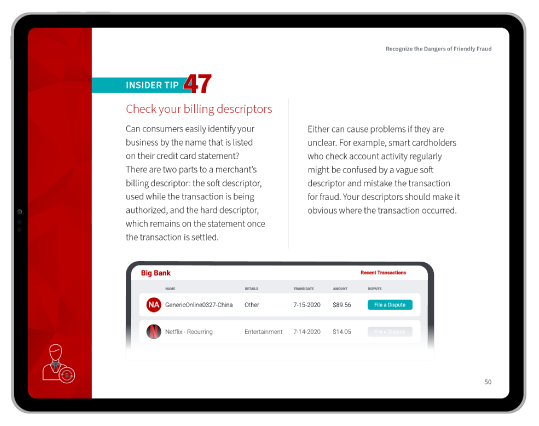
How to Offer One-Click Checkout to Customers

So you’ve read this far and decided that “one-click” might be a good payment option for your online store. Now what? How do you get it on your site? Here are a few steps to get you started.

Step One  |  Consider Your Needs

Obviously, there’s no point in going with a provider that doesn’t offer all the features you need. Certain features you should look for before signing include:

Speed/Smoothness

You’re trying to streamline the customer experience. If a provider’s product causes extra friction at checkout, where’s the benefit?

Payout

Not every provider offers instant payout. Some delay payouts for two days or more. If that creates an issue for you, look elsewhere.

Usage Fees

Your provider may require additional fees based on your platform. That may not be a dealbreaker, but it’s good to know ahead of time.

Privacy

Does your provider allow third-party tracking? Some do, while others let customers set their own preferences.

Order Tracking

eCommerce has made order tracking almost mandatory. It’s to your benefit to have this feature built directly into your platform.

Step Two  |  Compare Providers

Once you have a better understanding of your needs, look at what the various providers have to offer. Some of the top providers include:
Amazon Pay

Amazon Pay

Amazon invented one-click checkout and has been refining and perfecting their payments technologies for decades. The brand also gives you widespread name recognition.


Bolt

Bolt

Bolt’s solution is easily integrated into most eCommerce platforms. According to reviews, however, the product’s reporting capabilities could stand to be more flexible.


PayPal One Touch

PayPal One Touch

One Touch for PayPal provides a one-click payment method. It only works for sites accepting PayPal, but offers an established and trusted brand.

Shopify Shop Pay

Shopify Shop Pay

You don’t need a Shopify store to use the Shop Pay one-click payment solution. It works with multiple platforms like Facebook, Google, or an online store.


Stripe

Stripe

With widespread brand recognition and the latest in security, Stripe can help you decrease cart abandonment and create an effortless checkout experience.


This is just a sample–there are many more options available. Also, while most eCommerce platforms (Magento, Squarespace, WooCommerce, etc.) can work with third-party providers, they also feature their own version of one-click checkout.

ProviderKey FeaturesPricing/CostsProsCons
Amazon PayOne-click with Amazon accounts, 300M+ active customers, multi-device compatibility, trust/recognition2.9% of transaction amount + fixed fee based on currency, no monthly feesHigh trust factor, massive user base, quick setup, fraud protection, instant recognitionNo in-person transaction support, limited to Amazon ecosystem, may not suit all business types
Shop Pay (Shopify)Accelerated checkout, Shop Pay Installments (BNPL), mobile optimization, Shopify integrationNo fee for Shop Pay, 5.9% + $0.30 for Shop Pay Installments (BNPL)Native Shopify integration, no additional fees, BNPL option, mobile optimized, loyalty featuresLimited to Shopify ecosystem, high BNPL fees, installment payments available in the US and Canada only, limited customization
BoltOne-click checkout, fraud guarantee, mobile optimization, network effect, conversion optimization2.1% + $0.30 base rate for new businessesHigh conversion rates, zero fraud guarantee, mobile-first design, network benefits, advanced analyticsPremium pricing, complex setup, minimum $3M annual volume requirement, limited transparency
PayPal One TouchSingle sign-on across merchants, trusted brand, wide acceptance, simple integration2.9% + $0.30 or 3.49% + $0.30 for US transactions, +1.5% for international transactions, no contractsWide merchant acceptance, trusted brand, no contracts, strong buyer protectionHigh transaction fees, limited customization, potential account holds, fewer advanced features
StripeCustomizable checkout, 135+ currencies, subscription billing, fraud prevention, developer-friendly API2.9% + $0.30 per transaction, +0.5% for manual entry, +1.5% international cards, +1% currency conversionExtensive customization, transparent pricing, excellent mobile experience, strong developer tools, global reachComplex setup for non-developers, higher fees for some transactions, account freeze reports, limited phone support

Step Three  |  Install

Either your platform provider or your one-click vendor should have instructions for marrying the two systems. You may require technical support, or it may be as basic as adding an app or plug-in.

Did You Know?Click-to-Pay is a one-click checkout option with a difference.Instead of being part of your website, it’s a third-party offering created by a consortium of major credit card brands.

Click-to-Pay enables single-click purchasing at any participating online store. It allows the cardholder to store all their Visa, Mastercard, American Express, and Discover card information in one place for a uniform payment experience.

What About Fraud?

For all its benefits, there is one potential drawback to consider: fraud.

One-click checkout isn’t any less secure than traditional checkout flows; tokenization and encryption will protect card data in transit all the same. The real fraud risk comes in the form of post-transaction fraud.

Friction in the checkout process is never really welcome. However, it can provide some benefit, in that it forces shoppers to slow down and really consider a purchase before hitting “submit.”

If customers can use one-click payments to purchase items on impulse, they could be more likely to develop buyer’s remorse after a purchase. To get out of paying for an item they don’t want, they could resort to friendly fraud chargebacks or return fraud.

Comprehensive fraud prevention requires a multi-point strategy that can address post-transaction fraud.

Let us show you why.

Request a Demo
The Original End-to-End Chargeback Management Platform
Common QuestionAre refunds automatic in transactions involving one-click checkout?Usually not. Although one-click payments simplify the checkout process, buyers will still need to initiate a refund or return like they would for a standard purchase. This may mean returning an item in-store with proof of purchase, requesting a refund from your customer service team, or initiating a refund online.

So, what can you do as a merchant to stop chargebacks from taking a bite out of your revenue down the line?

Tip

Use Built-in Chargeback Prevention Tools

Some providers offer chargeback fraud protection to help limit friendly fraud losses. This can help limit your exposure; however, the extent of this coverage will vary and may require extra costs.

Tip

Be Transparent With Your Return Policies

Clearly display your refund and exchange policy within the checkout flow. At a minimum, include a link to your policy. Better yet, display your terms in full before customers click to pay so that you eliminate ambiguity about what’s acceptable and what isn’t.

Tip

Offer Exceptional Customer Service

Minimizing wait times and ensuring a pleasant and helpful customer service experience won’t automatically eliminate buyer’s remorse. But, it could encourage buyers to reach out to you before filing a chargeback. Doing so could allow your customer service team to issue a pre-emptive refund, which can help you avoid lost inventory and chargeback fees.

The Bottom Line

 Whether you’re looking to build repeat business, decrease cart abandonment, or drive impulse purchases, offering one-click buying as a payment option can be a great way of enhancing the customer experience. By streamlining payments and upgrading customer data security, merchants can optimize the buyer journey. 

That said, sales strategies aren’t a one-size-fits-all solution. Some types of businesses, including those dealing in high-cost, single-purchase goods, may not benefit enough from one-click to make it worth the cost of implementing.

And while one-click offers efficiency, convenience, and ease of use, it can’t protect merchants from friendly fraud. In some ways, it may even increase the threat.

If your business is feeling the pinch from fraud and chargeback issues, we have the most complete end-to-end solution available. To learn more, contact us today.

FAQs

What is one-click payment?

One-click checkout is a practice that may be implemented as part of the eCommerce checkout process. It lets users set default payment credentials and shipping information to make future purchases with the click of a single button.

How does one-click checkout work?

Buttons for the one–click option appear on product pages and in other locations on the site. Instead of manually entering billing, shipping, and card information, signed-in customers can choose to click on the button to complete the purchase using predefined information the retailer has on file.

Is one-click payment safe?

Most one-click payment providers offer “bank-level” security, including PCI DSS compliance. In addition, all card information is tokenized: sensitive customer data is substituted with a one-time alphanumeric ID that has no value or connection to the account's owner.

How does one-click checkout benefit buyers?

Customers get a streamlined checkout process that is faster, easier, and more convenient.

How does one-click checkout benefit merchants?

Merchants benefit from decreased cart abandonment, more repeat business and impulse buys, and an overall better experience for their customers. Merchants need to be careful, though; chargebacks resulting from buyer’s remorse could offset these benefits.


Is Click to Pay legitimate?

Yes. Click to pay is a legitimate and secure one-click checkout method for eCommerce that’s backed by Visa, the world’s largest card network.

Is there a fee to use ClickPay?

Yes. ClickPay, a billing platform for landlords and property managers, charges a 2.95% payment processing fee for credit card transactions. eCheck transactions incur a $2.50 fee, while ACH payments incur a $1.50 fee.

How do I stop one-click payment on Amazon?

You can disable one-click payment as a buyer by navigating to their Amazon account settings via “Your Account.” Next, click on “Ordering and shopping preferences,” and then “1-Click settings.” You can then choose to disable one-click payments on your current device only, or on all of your devices.

Like What You're Reading? Join our newsletter and stay up to date on the latest in payments and eCommerce trends.
Newsletter Signup
We’ll run the numbers; You’ll see the savings.
triangle shape background particle triangle shape background particle triangle shape background particle
Please share a few details and we'll connect with you!
Revenue Recovery icon
Over 18,000 companies recovered revenue with products from Chargebacks911
Close Form
Embed code has been copied to clipboard