
Online Shopping Cart AbandonmentProven Tactics to Reduce Abandoned Carts, Boost Conversions, & Prevent Disputes

David Pirtle | November 20, 2025 | 15 min read

This featured video was created using artificial intelligence. The article, however, was written and edited by actual payment experts.

What is Shopping Cart Abandonment?

In a Nutshell

Shopping cart abandonment occurs when customers add items to their online cart but leave without completing the purchase. Understanding why abandonment happens and how your rate compares to industry benchmarks, as well as implementing proven recovery strategies like email reminders and mobile optimization can help you recover sales without causing a spike in refunds and disputes.

10 Ready-to-Implement Strategies to Stop Shopping Cart Abandonment

Imagine that a customer walks into your store, picks out some items, and adds them to their shopping cart. But, as they make their way around the store and to the cashier to pay… they decide at the last minute that they don’t want to buy anything after all.

So, the shopper just ditches their full shopping cart, right in front of the cash wrap, and walks out. Although this sounds like bizarre behavior in a brick-and-mortar setting, it’s all too common in eCommerce.

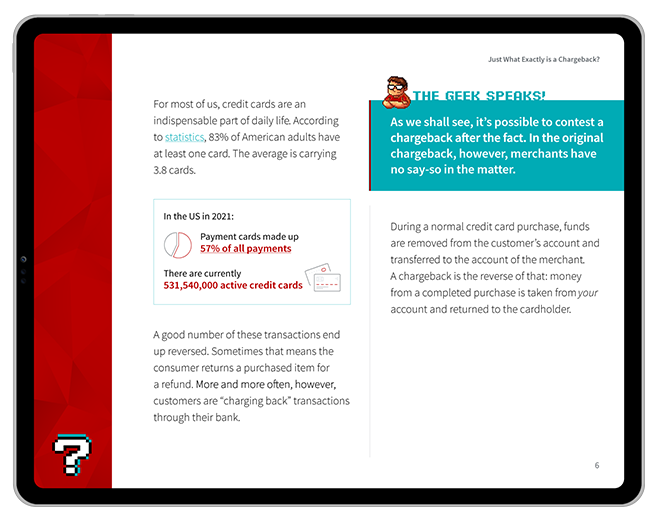
In 2025, 70% of all online shopping carts were abandoned before checkout; a figure that’s been steadily rising for the last two decades. For merchants, the costs are staggering. Over $4 trillion in merchandise is abandoned annually before checkout, a sum that results in billions of dollars of lost potential profits for sellers.

Why is it so common for online shoppers to abandon their carts before checkout? And, how can you stop it from happening? Let’s get into it.

What is Shopping Cart Abandonment?

Shopping Cart Abandonment

[noun]/shä • ping • kärt • ə • ban • dən • mənt/

Shopping cart abandonment is a term used in eCommerce referring to when cardholders place items in their cart but fail to complete a purchase.

An abandoned shopping cart occurs when a shopper selects and adds an item to their cart but never finishes the purchasing process. For whatever reason, they liked your product enough to select it from your listings but just couldn’t seem to cross that final threshold to a full sale.

There are a variety of factors that could lead consumers to abandon shopping carts. It could be that the buyer is simply doing some comparative shopping and never intended to continue on through checkout. Or, it might be because of a faulty mobile app interface, shipping costs, or even hidden fees. We’ll get into some of these details a little later.

Shopping Cart Abandonment Benchmarks: Where Do You Stand?

TL;DR

The average card abandonment rate across all verticals stood at 70.19% as of September 2025. The average number can vary widely though, depending on factors like product vertical, device type, and region.

Trying to get your shopping cart abandonment rate down to a perfect zero percent is probably not realistic. What matters instead is that you’re performing on par with (or preferably better than) competitors in your vertical.

For this, you’ll need to establish a benchmark for what a “good” card abandonment rate looks like. According to recent data, here are examples of average abandonment rates in some common verticals:

It makes intuitive sense that some industries face higher cart abandonment rates than others. For example, shoppers more frequently abandon online jewelry purchases because of the relatively large order values. In some cases, taxes and duties added at checkout could make buyers second-guess their purchasing decisions, too.

Regardless of the industry, however, global cart abandonment rates are above 70%. That’s largely attributable to the fact that only a minority of shoppers who land on your website truly have purchasing intent.

Did You Know?

43% of users are window shoppers who are “just looking.” In fact, it takes as much as seven visits to your site before a customer is ready to checkout, meaning that an abandoned cart could be a distant precursor to an eventual purchase.

Why Do Buyers Abandon Purchases?

TL;DR

Customers generally abandon their carts due to issues with transparency or usability.

So, we can see that most buyers who abandon shopping carts don’t have a specific intent to buy. But, what about those that do?

There are two consistent themes among customers’ complaints here: transparency and usability. For example, customers who see a bunch of extra costs tacked on at checkout may feel cheated by hidden fees, even if you believe that displaying taxes or platform fees at checkout is fair.

What’s important here is that you put yourself in your customers’ shoes. Is it seamless and frictionless for buyers to checkout, no matter the device they use? Does the price displayed on your product listing page reflect what buyers really pay at checkout? Is your site PCI-DSS compliant, secure, and furnished with trust badges and other signals?

If you can’t unequivocally answer “yes” to all these questions, chances are your customers will hesitate too. After all, some reasons for shopping cart abandonment are preventable:

Reason for Abandoning Past Transaction% of respondents
I was browsing/not ready to buy43%
Extra costs were too high (shipping, etc.)39%
Delivery was too slow21%
I didn’t trust the site with my credit card19%
Too long/complex checkout process18%
Return policy wasn’t satisfactory15%
Website had errors/crashed15%
I couldn’t see total order cost upfront14%
My credit card was declined10%

Benefits of Reducing Your Card Abandonment Rate

TL;DR

Reducing your card abandonment rate can lead to higher conversion rates, stronger brand reputation, higher ROI, and a better customer experience.

As explained above, shopping cart abandonment has a direct influence on your revenue generation, customer satisfaction, and overall business growth. This is why it’s absolutely essential to get the issue under control as soon as possible.

Concentrating on minimizing cart abandonment provides several benefits. It can help you:

Boost Conversion Rates

Employing strategies to prevent shopping cart abandonment can result in increased conversion rates. This, in turn, leads to a higher number of sales and growth of overall revenue for the business.

Improve the Customer Experience

Simplifying the checkout process, providing guest checkout options, and offering a variety of payment methods lets you deliver a more enjoyable and seamless shopping experience. This can lead to customers making repeat purchases and fostering long-term loyalty to the brand.

Strengthen Brand Reputation

By being transparent about pricing, shipping fees, and return policies, merchants can establish trust and credibility among their customers. Showcasing trust badges and security certifications on the website further assures customers that their information is well-protected, consequently enhancing the brand's image.

See Greater ROI

When you proactively tackle shopping cart abandonment, your retargeting and remarketing campaigns become more efficient. Engaging customers who have left items in their carts with personalized content lets you optimize return on investment for your marketing endeavors.

Retain More Customers

Providing live chat support, implementing exit-intent popups, and presenting a clear return policy can contribute to increased customer satisfaction. This encourages customers to not only make future purchases, but also recommend the brand to others, ultimately fostering a loyal customer base.

Addressing shopping cart abandonment effectively can lead to numerous benefits for merchants. You can see increased sales, enhanced customer satisfaction, and a stronger brand reputation.

Where should you start, though? Below, we’ve outlined a few key practices you can adopt today to cut down on card abandonment and grow your customer base without risking fraud and chargebacks.
Accept more orders WITHOUT accepting more fraud & chargebacks.

Request a Demo
The Original End-to-End Chargeback Management Platform

How to Calculate & Track Your Cart Abandonment Rate

TL;DR

Your cart abandonment rate is a measure of the share of carts that are created, but which do not ultimately lead to a completed sale, as a percentage of the total number of carts created.

To calculate your store’s cart abandonment rate, you need two figures. Over the same period of time (e.g. a week, month, or quarter), identify the total number of purchases completed by your customers, and the total number of shopping carts created.

Your cart abandonment rate is:

For example, if you record 2,000 carts created over a one-month period, but just 500 completed purchases, then your shopping cart abandonment rate is 75%.

When calculating your cart abandonment rate, make sure to filter out test orders made by staff, bot traffic, and transactions flagged as fraud attempts from both the numerator (i.e. purchases) and denominator (i.e. carts created). Accidentally including these items can skew your results and artificially inflate or deflate your cart abandonment rate.

For more granular insights, you can also consider segmenting your data by different factors, like:

  • Device type (mobile vs. desktop vs. tablet)
  • Traffic source, including organic, paid, social, email, and SMS
  • New vs. returning customers
  • Product category
  • Price point
  • Geographic location
  • Time of day, day of week, or season (e.g. holiday season vs. off-season)

For a fuller picture of your checkout environment, consider tracking the following complementary metrics alongside your shopping cart abandonment rate:

Tip

Conversion Rate by Segment

This metric reveals how your conversion rates vary across different groups (e.g  traffic source, device type, location), allowing you to highlight for which audience segments your checkout process is optimized (and not as well optimized).

Tip

Average Value of Abandoned vs. Completed Carts

Comparing the average order value of carts that were abandoned against those that lead to a purchase can indicate whether higher-value carts are more prone to abandonment due to perceived shipping costs, anxiety, or payment friction.

Tip

Checkout Flow Drop-Off Point

This metric helps you identify the exact step in your checkout flow (e.g. shipping, payment, review) where the largest percentage of users exit so that you can pinpoint the most problematic points of friction.

Tip

Recovery Rate From Abandoned Cart Emails

This metric, which tracks the percentage of abandoned carts that are successfully converted into purchases after a shopper clicks through a follow-up email, can help you measure how effective your cart recovery efforts are.

Why Mobile Shopping Cart Abandonment Rates are Worse Than Desktop

Shoppers browsing on their phones abandon their carts more often than desktop shoppers, a phenomenon that happens largely because the mobile experience is fundamentally less forgiving for users. 

Think about it: a desktop user has a large screen, a full keyboard, and a stable mouse. This means customers will tend to be more forgiving of clunky forms or slow-loading pages. Experience the same problems on a mobile device, though, and those issues suddenly become conversion killers.

Mobile shoppers are likely to abandon their carts if forced to contend with small, hard-to-tap form fields, frustrating keyboard-switching (from letters to numbers to symbols), and aggressive auto-correct errors when entering payment or shipping information. These data entry woes, when combined with websites that aren’t optimized for mobile, spotty network speeds, and other points of friction, mean that mobile shoppers are more likely to simply give up and exit your purchase flow.

To close this gap, you’ll need to make your site mobile-friendly. Consider:

One-Tap Checkout Solutions

Implement digital wallets like Apple Pay, Google Pay, and Shop Pay. These solutions spare users the difficulty of having to manually enter billing and shipping information, which eliminates the single greatest point of friction on mobile.

Autofill Optimization for Mobile Forms

Even if you can’t support one-tap checkout, ensure (at a minimum) that your form fields use the correct autocomplete HTML attributes so that mobile browsers and password managers can fill in data automatically.

Address Lookup/Autocomplete

Integrate an address lookup service, like the Google Places API. This allows users to type the first few characters of their address and select the correct, verified option from a list, which both speeds up entry and prevents costly shipping errors.

Biometric Authentication

Use Face ID, Touch ID, or fingerprint scanning to simplify account creation, login, and checkout. Doing so allows customers to skip the “create/forgot password” flow, which is a real conversion killer on mobile devices.

Mobile-First Design Principles

Adopt a true mobile-first workflow instead of a merely responsive one. This means designing the checkout for the smallest screen first, which forces you to prioritize only the most essential fields and actions from the start.

Thumb-Friendly Button Sizing & Placement

Design buttons and CTAs to be large, clear, and placed within the “thumb zone” at the bottom-middle of the screen. This allows users to complete actions without having to stretch their hands to tap buttons located elsewhere on their displays.

“Save & Continue Later” Option

Provide a “Save Cart” or “Email My Cart” prior to checkout so that mobile users who are interrupted by calls, notifications, or other distractions can easily resume their purchase later, even on a different device.

Image Compression & Lazy Loading

Optimize and compress all product images in the cart summary and ensure that images only load as the user scrolls. This speeds up page load times and makes for a smoother, more enjoyable checkout experience.

Minimizing JavaScript

Audit and minimize the use of third-party JavaScript like analytics, chat widgets, or heatmaps on your checkout pages. This can likewise help you improve load times and reduce unresponsiveness on mobile devices.

Accelerated Mobile Pages (AMP)

Implement AMP for your product and checkout pages to strip away non-essential code. Doing so can help you deliver a near-instant load experience, even to users with slow mobile data connections.

Abandoned Cart Email Recovery Strategies

It’s all too common for an eCommerce site to ghost a customer after they abandon their cart. Needless to say, doing nothing isn’t going to get a buyer to magically convert.

If a customer creates an account and you have their email address on file, you can use a well-timed, personalized email sequence — like the one below — to recover lost sales:

Email

Email #1  |  Reminder

The first email, which you can send 30 minutes to 2 hours after cart abandonment, should act as a reminder rather than a hard sell.

Here, your goal is to address technical issues or distractions while the buyer’s purchase intent is still high. Include clear images of the cart items and include a prominent call to action that links directly back to the shopper’s pre-populated cart.

Did You Know?

Dynamic content, which pulls in the actual images, product names, and prices from the user’s cart, can help boost abandoned card recovery rates. You can further personalize the shopping experience by including the buyer’s name in the email subject line, or use browsing history to recommend related items if they’re no longer interested in their original selection.

Email

Email #2  |  Incentive

If the first email didn’t convert, the shopper likely abandoned the cart due to a specific objection. The most likely culprit? Price.

To help combat sticker shock, send a second email 24 hours after abandonment and lead with a time-sensitive offer, like “10% Off For 24 Hours” or “Free Shipping, Just for You.” This is also a good time to reinforce buyer confidence by incorporating social proof like product reviews or user-generated video testimonials.

Email

Email #3  |  Final Notice

Send a final email 3–7 days after cart abandonment to give buyers one last reminder. Use urgency or scarcity in the headline (e.g. “Your items are almost sold out” or “Your discount expires today!”) to encourage action.

In this last email, you can also suggest alternative products or, if the sale is lost, ask for feedback with a one-click survey to understand why the buyer decided not to complete their purchase.

Other Cart Recovery Tactics Beyond Email

Email is a good start, but relying on a single channel to recover revenue from abandoned carts means that you’re likely still leaving revenue on the table.

Instead, a successful recovery strategy should meet the customer where they are. This means using a multi-channel approach to stay top-of-mind. Consider these tactics:

Retargeting Ads

You can serve retargeting ads to users who previously abandoned their carts using a tracking pixel, like the Meta Pixel or Google Ads tag.

As mentioned before, the most effective approach is to use Dynamic Product Ads (DPAs), which display personalized recommendations to the buyer, like the items they added to their cart but didn’t buy. As a best practice, implement frequency capping to avoid ad fatigue and exclude users who have already completed their purchase.

SMS Cart Recovery

SMS has a near-100% open rate, so it’s an incredibly powerful communication channel… but also a highly sensitive one. Before sending any messages, you’ll need to get explicit, TCPA-compliant consent; for example, via a checkout checkbox that is not pre-checked. Keep the message brief, personal, and direct, with a link straight to the buyer’s cart.

Push Notifications

If you have a mobile app or a Progressive Web App (PWA), push notifications are the most immediate way to reach a user. Use these notifications sparingly for cart recovery, though. Overuse is the fastest way to get users to disable permissions or uninstall your app.

Testing & Optimizing Your Cart Abandonment Strategy

The most effective cart recovery strategies should be iterative. In other words, you should dynamically incorporate data and tweak your strategy over time based on the quantitative feedback that you’re getting.

For starters, consider systematically A/B testing high-priority elements of your checkout and recovery process. Focus your tests on the areas of highest impact. For instance, test a guest checkout option and see how that compares to a mandatory account signup flow. Or, tweak the copy, color, or size of your main CTA button to see how that impacts conversions.

You should also experiment with different experiences for different customer segments, as opposed to testing one change at a time for all prospective buyers who abandon their carts. For example, mobile users might respond better to a simpler checkout flow, while returning customers might convert higher with one-click payment options. To measure success, look beyond your cart abandonment rate and track a broader set of KPIs, such as your overall conversion rate, any changes in average order value, and the specific revenue recovered from each tactic.

These complementary metrics can provide richer context and help you get a fuller picture of what’s working and what’s not.

Did You Know?

High cart abandonment rates can also be indirectly tied to an increase in chargebacks.

Chargebacks happen when a customer disputes a charge on their credit card, resulting in a forced refund conducted at the bank level. If a customer is unclear about your product, pricing, or shipping fees, they might make a purchase without fully understanding the terms. Naturally, confusion like this can result in chargebacks when customers believe they were misled or incorrectly charged.

Save time. Increase conversions. Detect & defeat fraud.

Request your free demo today.

Request a Demo
The Original End-to-End Chargeback Management Platform

10 Tips & Practices to Reduce Shopping Cart Abandonment

When it comes to mitigating digital shopping cart abandonment, the key is to have a plan. 

Now that we’ve discussed why customers may abandon shopping carts on your site, let’s dive into some strategies to prevent the phenomenon from happening in the future:

#1 | Simplify the Checkout Process

You should strive to evaluate your current checkout procedure. Carefully review the process from end to end, identify any unnecessary steps, and simplify the process to make it more user-friendly. This includes reducing the number of form fields and providing clear instructions at every stage of the process.

#2 | Authenticate Buyers Based on Risk

There are benefits to requesting that buyers create an account before completing a purchase. However, many of your customers will prefer to complete purchases without creating an account.

Including a guest checkout option will provide shoppers with the means to choose the payment method that suits them best. You can implement this option in their eCommerce platform to make the process more seamless.

#3 | Be Transparent

Always display your fees, taxes, and shipping costs upfront on your product pages or in the cart summary. This can be done by using real-time shipping calculators or providing estimated costs based on customer location. As mentioned above, leaving things up to your customer’s imagination can end badly for your business in the form of chargebacks and other unpleasant surprises.

#4 | Provide Multiple Payment Options

Integrate multiple payment options into your eCommerce platform to offer different payment methods. Consider other options beside just credit and debit cards; PayPal, digital wallets like Apple Pay and Google Pay, BNPL, and even cryptocurrencies are all increasingly popular options.

#5 | Optimize for Mobile

You can ensure that your eCommerce platform and website are mobile-friendly by using responsive design and optimizing the user interface for touchscreens.

#6 | Offer Live Chat Support

You should consider including live chat software on your website to provide real-time support during the checkout process. This helps address any questions or concerns customers may have before making a purchase. When live support is not available, dynamic chatbots can help fill the gap and address simple, common questions.

#7 | Retarget & Remarket

Setting up retargeting and remarketing campaigns using tools like Google Ads, Facebook Ads, or email marketing platforms is a great idea. These campaigns should be personalized to remind customers of the items they left in their carts.

Far from alienating customers, these targeted remarketing campaigns are appreciated by most buyers. Shoppers love a customized experience.

#8 | Display Trust Badges

You want to quickly — yet subtly — signal to buyers that your site is safe and secure. Displaying trust badges is a good way to accomplish this.

Display SSL certificates, payment security logos, and PCI compliance icons on your website, particularly during the checkout process. This will help to reassure customers that their data is secure.

#9 | Clarify Your Return Policy

Besides being good for business, clear return policies also help to prevent cases of return fraud and other unpleasant circumstances. Transparent return policies should be easily accessible on your website. They should also communicate the policy during the checkout process and ensure that it is flexible and customer-friendly.

#10 | Declutter Checkout

You don’t need customers to fill long, painstakingly drawn-out forms at checkout. Try to eliminate redundant fields wherever possible. You can simplify the process in a few ways, including:

  • Auto-Populating Addresses: There’s no need for a customer to enter a street address, city, state, and ZIP code. Once a person starts typing, a drop-down can provide address options using data from Google.
  • Address Matching: Customers’ billing and shipping addresses are often the same. Why make them enter that information twice? Give the option to simply check a box for the same address.
  • Numeric Keypads: Keying a 16-digit number using tiny mobile keyboard buttons is tedious and error-prone. Replace the keyboard at the payment information stage with a numeric keypad.

Need Help?

As we’ve demonstrated, taking charge of your checkout process can save you loads of time and money. That said, providing excellent customer service is perhaps the most important thing to note when trying to eliminate shopping cart abandonment.

Not sure where to start? You’re not alone.

If you’re experiencing a high number of abandoned shopping carts, there is usually a reason. While many consumers might simply be browsing, that still leaves a hefty percentage of abandoned carts that you can convert to sales with a few tweaks.

There is no need to reinvent your business to fight the dreaded abandoned cart syndrome. Nothing you do will get rid of the problem entirely. But, you can increase your final sales figures and improve your bottom line by paying close attention to your user experience, and taking a more holistic, comprehensive approach.

Mitigating online shopping cart abandonment is just one part of an overall strategy. Click below to learn more about creating a comprehensive strategy to grow your revenue and your business.

FAQs

Why is cart abandonment bad?

An abandoned shopping cart occurs when a shopper selects and adds an item to their cart but never finishes the purchasing process. For whatever reason, they liked your product enough to select it from your listings but just couldn’t seem to cross that final threshold to a full sale.

Why are people abandoning checkout?

Unexpected costs or unnecessary friction during the checkout process — like the need to create an account — can lead to cart abandonment.

How do you fix a shopping cart abandonment?

As we see, most shopping cart abandonment occurs before customers even make it to checkout. So, one of the best ways to snag that final sale is to give shoppers a reason to finalize their purchase. “On the fence” popups and special offers are just two methods that may encourage a customer to complete a purchase. You can also use targeted emails to try and recapture abandoned sales.

What is a good abandonment rate for a cart?

Since the average cart abandonment rates rest between 69-75%, anything below that can be considered “good.” However, you can increase conversion rates by 30% by optimizing your site with simple tweaks.

What is the average cart abandonment rate in 2023?

The global average rate of cart abandonment is 75.6%, as of this writing.

What makes people abandon shopping carts online?

There are a variety of factors that could lead consumers to abandon shopping carts. It could be that the buyer is simply doing some comparative shopping and never intended to continue on through checkout. Or, it might be because of a faulty mobile app interface, shipping costs, or even hidden fees.


What is the formula for cart abandonment?

Your cart abandonment rate can be calculated as the total number of abandoned carts divided by the total number of shopping carts created. In other words:

Abandonment Rate = (1 - [Purchases ÷ Carts Created]) x 100.

Is abandoned cart recovery worth it?

Abandoned cart recovery emails can be worth it because it helps drive incremental revenue that your business would otherwise lose out on.

Like What You're Reading? Join our newsletter and stay up to date on the latest in payments and eCommerce trends.
Newsletter Signup
We’ll run the numbers; You’ll see the savings.
triangle shape background particle triangle shape background particle triangle shape background particle
Please share a few details and we'll connect with you!
Revenue Recovery icon
Over 18,000 companies recovered revenue with products from Chargebacks911
Close Form
Embed code has been copied to clipboard