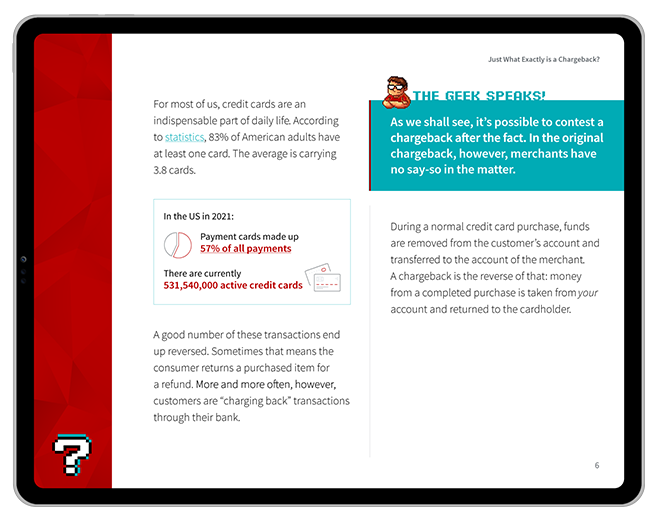

QR Code PaymentsHow They Work, What Can Go Wrong, & How Disputes Differ from Chargebacks

Dado Kalem | April 17, 2026 | 16 min read

This featured video was created using artificial intelligence. The article, however, was written and edited by actual payment experts.

What are QR Code Payments?

In a Nutshell

QR code payments are a fast, low-friction way for customers to pay using a smartphone. While they’re simple to use and easy to set up, QR code payment disputes work differently than traditional card chargebacks. In most cases, disputes are handled by the payment platform itself rather than standard card network rules. That can make the whole process harder to navigate.

How Do QR Code Payments Work & What Advantages Do They Offer Merchants?

QR code payments aren’t just a fringe thing anymore. Globally, they’re already processing trillions of dollars each year, with estimates putting total transaction volume at around $5+ trillion in 2025 alone.

In markets across Asia, in particular, QR-based payments are already the default way to pay. Some of us have been a little slower to the party, but QR code payment adoption finally started gaining serious traction in the US in the post-COVID push toward contactless experiences.

$12.5
billion

the value of the global QR code payment market reached $12.54 billion in 2024.

Source: Grand View Research

$61.7
billion

the projected value of the global QR code payment market will reach $61.73 billion by 2033; a compound annual growth rate of 20%.

Source: Grand View Research

$3
trillion

amount spent globally via QR code payments in 2025.

Source: Juniper Research

42
percent

of US smartphone users scanned a QR code in 2025.

Source: Statista

>90
percent

QR-based “scan and pay” methods captured more than 90% of China’s mobile payment market in 2022.

Source: Statista

36.8
percent

retail and eCommerce dominated the QR code payment market with 36.8% market share in 2025.

Source: Future Market Insights

So what does that all mean for merchants? In simple terms: faster transactions, less hardware, and fewer hoops to jump through. Not bad, right?

Naturally, there are a few trade-offs to talk about, but none of them are deal-breakers. In this post, we’re looking specifically at QR codes as a payment method. We’ll cover what they are, how they work, where the risks are, and what all this means for your chargeback strategy.

What is a QR Code Payment?

TL;DR

QR code payments let customers scan a code with their phone to quickly complete a payment transaction. They’re easy to set up, require little to no hardware, and streamline checkout by cutting out traditional POS friction.

At the highest level, QR codes might be compared to bar codes, in that they both store digital information that can be accessed by scanning. That’s about where the similarity ends, though. Those little squares filled with camo-looking pixel patterns have some distinct advantages over their prison-bar-looking predecessors. Compared to a bar code, QR codes:

  • Can store a lot more data
  • Are scannable from photos or screens
  • May still be readable even when damaged
  • Feature complex encryption
  • Can instantly open links or apps
  • Don’t require special scanning software or app

They’re also pretty simple to create using an online generator. That’s how a kid can use one to offer prices for his lawn-mowing hustle, or a patron can use them to view a menu at their local diner. Larger enterprises could have warranty information tied to a QR code, or maybe directions to their nearest store. What about using QR codes to get paid, though?

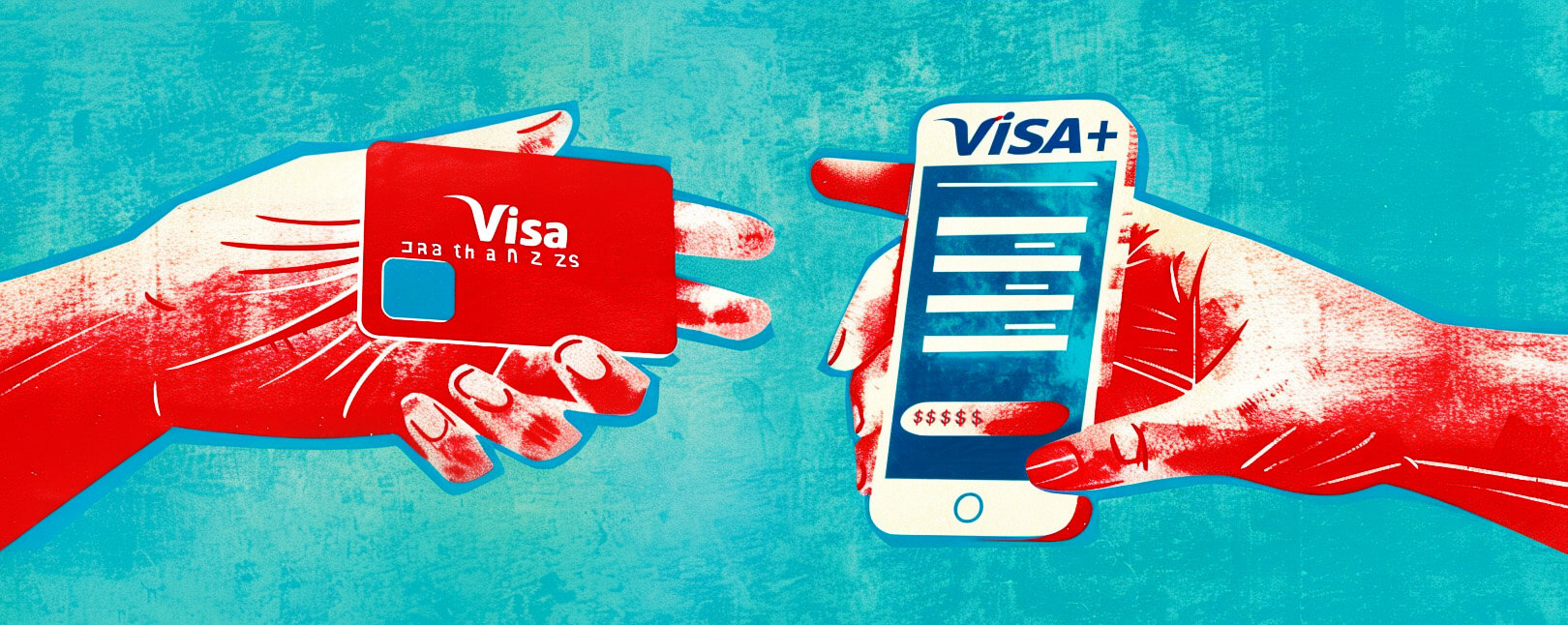
At checkout, QR payments let customers scan and complete a transaction without the usual point-of-sale song and dance. Set-up can be as simple as displaying a code on a screen or a sticker. The customer scans, confirms, and pays. No terminal, no card reader, no “Would you like a paper receipt?” slow-downs.

QR Code Payments

That simplicity is the real selling point. QR payments cut out a good chunk of the friction, which matters when customers have the attention span of a late-night doom-scroller.

The other upside for you is the initial investment. Or rather, the lack of one, as QR codes allow you to cut out a lot of upfront costs. You don’t need piles of hardware or a traditional card setup. In most cases, a smartphone or tablet and a way to generate the code are enough to get started.

How Does a QR Code Payment Work?

TL;DR

The customer scans a QR code, their app fills in payment details, the platform authorizes the transaction, and the funds are transferred to the merchant — often without ever touching traditional card networks.

When you scan a QR code, your phone’s software reads the pattern of lines and shapes and decodes it into a command. The command could be “Open this link” or  “Tell me where I am.” In the case of payments, it’s “Open a payment request with this merchant ID.” 

A typical QR code payment flow goes something like this: 

Scan QR Code

The customer points their phone camera at the QR code, which reads the encoded data.

Payment App Processes

The app turns it into a payment step and adds contextual info like amount, merchant, currency, and formatting for the platform.

Platform Authorizes Payment

The request goes to the connected platform or processor which checks everything out and replies with approval.

Funds Go to Merchant

The money moves from the customer’s account through the platform’s rails and eventually settles into your account.

The important thing to note is that, in most cases, the payment is conducted entirely on-platform. Card networks like Visa and Mastercard are only involved if the underlying funding source is a card (and sometimes not even then).

Advantages & Disadvantages of QR Code Payments for Merchants

TL;DR

QR code payments offer a simple, flexible alternative to accept payments without the usual hardware or setup, and with faster checkout and lower costs. But, they’re fragmented across platforms, depend on app adoption and connectivity, and often lack the standardized protections and dispute rules.

QR code payment solutions are a simple, straightforward means of collecting customer cash without the hassle of a full card‑acceptance setup. There’s minimal software involved: you can start with just a screen or a printed code. 

But then again, convenience isn’t everything. Like any payment method, QR code payments come with a few downsides. Most of them trace back to the same root issue: QR payments are platform-driven and app-heavy. You also can’t count on them to follow those fun card-network rules and protections we’ve all gotten used to.

PROs

Customers scan, tap, and they’re done. There’s no fumbling with cards and you eliminate that uncomfortable “is it going through?” pause.

If you’ve got a phone or tablet, you’re basically set. Same for your customers. No piles of cords and equipment you have to babysit.

Customers got used to avoiding touching shared surfaces during the covid pandemic. Some of them, as it turns out, are still perfectly OK with that.

A lot of people barely carry a wallet anymore. QR codes let them pay the way they already prefer, without forcing a card into the mix.

QR payments happen inside apps, which means rewards, discounts, and offers can plug right in. Extra engagement without extra work.

Tourists from markets where QR code payments are commonplace (China and India, for example) can pay with apps they already trust, like Alipay or WeChat Pay.

CONs

Services like PayPal, Venmo, Cash App, and Alipay don’t share notes. You’ll need a QR code for each platform, and have to manage each app separately.

App fatigue is real. Nearly everyone has a credit card, but not every customer wants another payment app cluttering up their phone.

QR code payments require an internet connection on both ends. If either side drops, the transaction fails. Trust me, it’s awkward for everyone.

Static QR codes lack transaction details, making it harder to match payments to specific orders.

QR code payments run via payment rails outside of conventional credit and debit payments. So, consumer protections tied to payment methods often don’t apply.

No standard rules or timelines. Each app handles disputes differently, which makes contesting fraud a bit of a juggling act.

QR Code-Specific Fraud Threats

TL;DR

QR codes introduce a few fraud risks merchants need to watch for. The most common threat vectors are “quishing” and code swapping.

Leave it to the fraudsters to jump right in and invent tricks for leveraging new technology to their benefit.

As we saw earlier, creating a QR code is ridiculously easy. Cybercrooks are already using them to put a fresh spin on some very old scams. Take “Quishing,” or QR code phishing, for example.

Instead of a shady link included in an email, criminals generate codes that look legitimate but send users to spoofed payment pages or credential-harvesting sites. When a customer scans one, they may think they’re paying you. In reality, they’re handing over card details or login credentials to a fraudster who drains the customer’s account or quietly collects data for later use. Guess who’ll get the blame?

There’s also code swapping. Think of this as quishing’s low-tech cousin. Bad actors place their own QR code stickers over legitimate codes on posters, displays, menus, or kiosks. Unless you look closely, everything appears normal… until someone scans it. Then the payment or data goes straight to the fraudster, not you. 

We’ve Got You Covered.

New technologies always lead to new fraud threats. Fortunately, we’ve got new tools to help you fight back.

Request a Demo
The Original End-to-End Chargeback Management Platform

How Do QR Payment Disputes Work?

TL;DR

QR payment disputes vary dramatically by platform. Each has different timelines, evidence requirements, and protection levels, meaning your response strategy depends entirely on which app processed the payment.

When a customer disputes a QR code payment, you won't be filing a standard chargeback response through Visa or Mastercard. Instead, you're working within the dispute framework of whatever platform facilitated the transaction. That framework determines everything: how long you have to respond, what evidence counts, who makes the final decision, and whether you have any recourse if you lose.

The challenge is that these frameworks aren't standardized. What works for a PayPal dispute might be irrelevant for a Venmo claim, and the protection you get through Cash App doesn't exist at all with other platforms.

Here’s how disputes get handled across a few of the most popular platforms in the US:

PayPal

PayPal

When a customer files a claim, PayPal notifies you through your account dashboard and email. You typically have 10 days to respond with evidence supporting your case. The platform evaluates both sides and makes a decision, which can take anywhere from a few days to several weeks depending on complexity.

The critical difference from card network disputes is that PayPal makes the final determination internally. There's no escalation to an external arbiter like you'd get with card network arbitration. If PayPal rules against you, that decision is generally final unless you can provide new evidence they didn't previously consider.

Venmo

Venmo

For authorized merchants, Venmo’s dispute process resembles that of PayPal, but with shorter timelines and less detailed case management. You might have as little as 7 days to respond, and the evidence submission process is less robust than PayPal’s dedicated dispute center. Documentation requirements are similar — you need proof of delivery, proof of service, communications with the buyer, etc. — but the window to gather and submit everything is tighter.

Also, the platform’s decision is final. Unlike traditional chargebacks where you can potentially escalate through arbitration, Venmo disputes end when Venmo says they end.

Important!

Venmo only offers dispute response rights for authorized merchants. If you’re accepting Venmo QR payments without formal merchant status — meaning you’re doing business via peer-to-peer transactions — then you have virtually no protection when disputes arise.

Tip

Cash App

Square offers what they call seller protection for Cash App Pay transactions, and the coverage is notably stronger than most QR payment platforms provide. For cases where the customer claims their account was compromised or they never authorized the payment, Square covers the merchant entirely. You don't lose the disputed amount, and you don't pay any fees associated with the claim.

This protection only applies to fraud disputes, though. If a customer claims they didn’t receive the product, that it was defective, or that the service wasn't provided as agreed, you're responsible for responding with evidence just like any other platform. Now, response timelines for Cash App disputes vary depending on how the payment was processed and what type of claim was filed, but they generally fall in the range of 7-14 days.

Square provides clearer guidance on evidence requirements than many platforms, explicitly listing what documentation strengthens your case for different dispute types. The system also allows you to track dispute status and receive updates as the case progresses, which provides more transparency than platforms that simply notify you of the final decision.

Did You Know?

QR disputes typically don't count toward Visa/Mastercard chargeback monitoring programs. So, that’s one less thing affecting your chargeback-to-transaction ratio.

The dispute process should be a primary consideration when you’re deciding which QR code payment options to accept. Ask specific questions before integrating:

  • What seller protections exist?
  • How long do you have to respond to disputes?
  • What evidence does the platform consider compelling?
  • Who makes the final determination?
  • Is there any appeals process?
  • Can disputes affect your account status or transaction limits?

QR payment disputes require a hands-on, platform-specific approach. You can’t develop one evidence template and use it everywhere. You can’t assume you’ll have a set number of days to respond, or that you can escalate if the initial decision goes against you. Each platform operates as its own ecosystem with its own rules, and succeeding means adapting to match whichever platforms your customers actually use.

How Can Merchants Protect Themselves Against QR Code Payment Fraud? 

TL;DR

QR code payments require a more hands-on approach to fraud prevention. Merchants should use dynamic, transaction-specific codes, verify payments before fulfillment, keep solid records, and choose platforms with stronger seller protections.

Because the rules aren’t standardized, keeping yourself safe is largely up to you. Still, there are plenty of practical steps you can take to reduce risk, tighten up your processes, and avoid getting burned.

  • Use dynamic QR codes when possible: Transaction-specific codes are harder to mess with. They also prevent reuse and make reconciliation and recordkeeping a lot cleaner.
  • Embed transaction data in the QR code: Along with using dynamic codes, be sure you embed transaction reference data upfront to tie the payment to a specific order.
  • Inspect physical QR displays regularly:: Regularly check any QR codes you’ve got codes posted in a publicly accessible place. Scammers are sneaky, but you can pretty easily tell if a code was swapped or overlaid.
  • Document everything: Keep track of transaction IDs, timestamps, screenshots, buyer emails, etc... Just like with a conventional card chargeback, fighting a QR code payment dispute requires compelling evidence..
  • Verify payment confirmation: Saying “it went through” is not a payment confirmation. Before releasing an order, check your system to verify that a customer’s funds transfer was completed.
  • Go for merchant-friendly policies: Not all platforms offer the same level of merchant protection. So, when deciding which payment methods to accept, be sure to compare the level of protection you’re offered.
  • Don’t give up card acceptance: QR codes are great, but not everyone is willing to use them. So, don’t treat QR codes as a permanent substitute for old-fashioned credit and debit card acceptance.

Implementing QR Code Payments: From Setup to Launch

TL;DR

Getting started with QR code payments requires choosing a payment service provider that fits your business model, setting up a merchant account, generating codes (static for simple setups, dynamic for transaction tracking), testing thoroughly before deployment, and training staff on the basics.

The evaluation criteria when you’re trying to pick a service provider should extend beyond just processing fees. The provider charging the lowest transaction fee might cost you more in the long run if their dispute process is adversarial or their reporting makes reconciliation a nightmare. So, consider factors like:

  • Dispute support quality
  • Integration capabilities with your existing systems
  • Reporting and analytics depth
  • Settlement speed
  • International payment support (if relevant)
  • Whether the provider offers both static and dynamic QR code options

Once you settle on a provider, you’ll typically go through the following steps:

Setting Up Your Account

Setting Up Your Account

You’ll need basic business information, like legal entity name, tax identification number, bank account for settlements, and verification documentation. The approval process for QR payment accounts is often faster than traditional merchant account applications because many providers view QR transactions as lower risk than card-present or card-not-present payments.

Some providers don’t require a separate merchant account at all. Square, for example, lets you start accepting Cash App QR payments through an existing Square account. PayPal and Venmo work similarly; if you already have a business account, enabling QR payments is often just a settings change, rather than a new application.

Generate a QR Code

Generate a QR Code

You have to make a fundamental choice here: static or dynamic QR codes.

Static codes work well for simple use cases. You generate one code that represents your business or a specific product, print or display it, and customers scan to pay. The customer typically enters the payment amount manually, which introduces potential for errors but also maximum flexibility. On the other hand, you can also go with dynamic QR codes, meaning you generate a new one for each transaction.

A dynamic code eliminates manual entry errors, simplifies reconciliation, and provides clearer documentation if disputes arise later. The downside is that dynamic codes require more sophisticated integration. You need a system that can generate a unique code for each transaction, display it at the right moment (on a screen, printed receipt, or checkout page), and track which code corresponds to which order.

Most payment platforms offer tools for generating both. The decision between static and dynamic depends more on your business needs than technical capability.

Test Your QR Codes

Test Your QR Codes

Testing before you go live is not optional.

Generate test codes, scan them with multiple devices (different smartphones, different payment apps), and verify that the entire flow works as expected. Does the code scan reliably? Do payment details populate correctly? Does the transaction appear in your dashboard with the right information? Can you easily match payments to orders or customers?

Pay special attention to testing the customer experience in the actual environment where codes will be used. A QR code that scans perfectly under office lighting might be difficult to read in a dimly lit restaurant or in bright outdoor sunlight. Codes printed too small might not scan reliably from typical viewing distances. Codes displayed on screens need sufficient brightness and contrast.

Planning for Deployment

Planning for Deployment

For physical deployment, consider placement carefully. Codes at checkout counters should be positioned where customers can easily scan without disrupting the flow; typically at eye level, angled slightly toward the customer, with clear instructions if needed. Table tents or standees work well in restaurant settings. For retail environments, codes can be integrated into signage, shelf labels, or product displays depending on your payment flow.

Digital deployment requires different considerations. The code needs to be large enough that smartphone cameras can focus on it, but not so large that it dominates the screen. Placement matters too: customers expect to find payment codes near checkout buttons or order summaries, not buried in page footers or sidebars.

System Integration

System Integration

Integration with existing systems determines whether QR payments feel seamless or bolted-on. At minimum, your QR payment solution needs to communicate with whatever system tracks sales and inventory. When a QR payment completes, that transaction should appear in your records the same way a card payment or cash sale would.

More sophisticated integrations connect QR payments to your point-of-sale system, accounting software, customer relationship management platform, and inventory management system. This level of integration requires API work, which might mean hiring a developer or working with an implementation partner unless you’re using a platform with pre-built connectors for your specific tools.

Train Staff

Train Staff

Employees need to understand the basics: what QR payments are, why you’re offering them, how customers use them, and what to do when something goes wrong. They don’t need to become payment processing experts, but they should be able to guide customers through the process and handle common issues.

Maybe a customer doesn’t know how to scan QR codes. Or, a payment app doesn’t open automatically after scanning, there’s difficulty scanning due to lighting or distance, or the buyer has questions about payment confirmation. Your staff should have ready answers for each scenario.

Rollout Strategy

Rollout Strategy

The rollout strategy matters more than you might expect. Rather than switching entirely to QR payments overnight, consider a phased approach.

Start with one location if you have multiple, or one payment channel if you serve customers through different channels. Monitor closely for the first few weeks; look at transaction success rates, customer feedback, staff questions, reconciliation challenges, dispute frequency.

Use this monitoring period to refine your implementation. You might find that your QR codes need to be larger, or positioned differently, or that instructions need to be clearer. Maybe certain payment platforms work better than others for your customer base. Better to identify and fix these issues during a controlled rollout than after you’ve deployed across your entire operation.

Set Ongoing Documentation in Motion

Set Ongoing Documentation in Motion

Create simple reference guides for staff covering common scenarios and troubleshooting steps. Document your QR payment procedures in whatever operations manual or training materials you maintain. Record which provider you’re using, where codes are deployed, how transaction reconciliation works, and who to contact when issues arise.

This documentation matters most when something goes wrong. If a customer disputes a QR payment three months after the transaction, you need to quickly reconstruct what happened: which code they scanned, what they ordered, when the payment was confirmed, what evidence you have. Good documentation turns a stressful scramble into a straightforward lookup.

Meet the Moment Without Increasing Risk Exposure

QR payments promote—and often deliver—on the promise to prevent instances of transactional fraud. That said, it’s still not a complete solution.

A fraudster can replicate or counterfeit QR Code data to defraud merchants during a transaction. Additionally, QR payments are not always effective at preventing chargebacks, depending on the technology involved. Given that chargebacks are a growing concern for two-thirds of merchants, this is definitely worth consideration.

The same applies to post-transaction threats like friendly fraud. Friendly fraud and return fraud occur after the payment has been finalized, and are therefore not something technology can account for. After all, post-transactional fraud like this is committed by otherwise legitimate customers…not your average cybercriminal.

So, how do you meet the rising demand for QR Code payments and keep your business safe from chargebacks and post-transactional fraud? The answer is to adopt tools and technology to prevent fraud, and take steps to manage chargebacks in the short- and long-term.

FAQs

What is a QR code?

A QR code (or “quick response code”) is a type of scannable barcode that stores information, such as a website link or payment details. These can be read instantly using a smartphone camera or QR scanner app.

What is a QR code payment?

A QR code payment lets customers pay by scanning a code with their phone, which links directly to a payment page or app.

How does QR code payment work?

The customer scans the QR code and confirms the payment in their banking or wallet app. Funds are then transferred electronically to the receiver’s account.

What are the disadvantages of QR code payments?

QR code payments can be vulnerable to fraud (like code tampering). They also depend on customer trust and smartphone access, and typically offer limited dispute protections compared to cards.

Are QR code payments secure?

QR code payments can be secure when generated and used properly, but risks like fake or altered codes mean merchants may need additional safeguards in place.

Can you use a credit card for QR code payment?

Sometimes. If the QR code transaction is funded through a card and processed over card networks, it may still behave like a traditional card payment.

Can customers dispute QR code payments?

It depends. Card-based payments can be disputed through standard chargeback processes. Bank transfers and wallet transactions (the largest portion of QR code payments) are usually handled through the platform’s own dispute or refund policies, which may provide more limited protection.

Do QR disputes count toward my chargeback ratio?

Only if the underlying payment runs through card networks; non-card QR code payments (like bank transfers) typically don’t count toward chargeback ratios.

What's the difference between static and dynamic QR codes?

Static QR codes are fixed and reusable; the same code gets scanned every time, so it’s difficult to trace each payment to an individual transaction record. However, dynamic QR codes mean generating a unique code for each transaction, which can include specific payment details like amount or order info.

Like What You're Reading? Join our newsletter and stay up to date on the latest in payments and eCommerce trends.
Newsletter Signup
We’ll run the numbers; You’ll see the savings.
triangle shape background particle triangle shape background particle triangle shape background particle
Please share a few details and we'll connect with you!
Revenue Recovery icon
Over 18,000 companies recovered revenue with products from Chargebacks911
Close Form