


American Express Handles Payment Disputes a Little Differently
Consumers paying with an American Express card have a relationship with both the issuer and the acquirer. This has a variety of benefits but also changes the dynamics when the cardholder seeks to file a chargeback.
Like their larger competitors, American Express recently made a lot of policy changes to insulate and streamline the credit card dispute process. This was done with the aim of better serving individual cardholders and merchants. Through the Amex Dispute Center, buyers and sellers to view and respond to disputes, and communicate with the parties involved. But merchant beware, while the American Express Dispute Center is a vast improvement over previous methods, it cannot solve every problem.
Recommended reading
- Payment Reversals: How are Refunds & Chargebacks Different?
- Can You Dispute Apple Cash Transactions?
- The Bank Dispute Process: A Step-by-Step Guide
- What are ACH Disputes? A Guide for Consumers & Merchants
- How Do Banks Investigate Disputes on Credit Cards?
- Credit vs. Debit Card Disputes: Are They The Same Thing?
What is the American Express Dispute Center?
The chargeback process was meant to balance the scales between cardholders and merchants. Now, they are nearly a one-sided affair in which merchants bear the brunt of the repercussions and costs of every dispute (below).
Amex created the American Express Dispute Center to combat these issues and provide a clearer, faster, and more evenly balanced online dispute process. This is an Amex-specific online dispute resolution portal. It lets buyers and sellers communicate and resolve issues resulting from American Express credit card transactions.
Cardholders can use the Amex Dispute Center to:

Report unauthorized transactions

Open a billing dispute

Check the status of a billing dispute

Cancel a billing dispute
The American Express Dispute Center offers better clarity and understanding of the dispute process, combined with an intuitive, easy-to-use platform. It’s here to help cardholders resolve problems and help protect merchants from chargebacks.
When Can You Dispute a Charge in the Amex Dispute Center?
If a customer is concerned about a charge on their credit card statement, they can dispute the charge in just a few minutes through the Amex Dispute Center. The portal provides a method for quickly filing and canceling disputes.
The first thing cardholders should do if they spot a charge that they don’t recognize is check with any other authorized users, like a spouse or family member, to see whether they made the purchase. If so, the cardholder would be responsible for that charge.

Acceptable Reasons to Dispute an Amex Charge
One’s right to open a dispute on questionable credit card charges is protected by law. However, the case has to meet some basic requirements:
How to Report an Unauthorized Amex Transaction
Cardholders are not liable for fraudulent Amex purchases. To learn more about the measures American Express takes to help protect your account, as well as the steps you can take to safeguard yourself, visit the Security Center to file an unauthorized transaction dispute.
Credit card fraud happens when someone makes an unauthorized charge with your account, which may occur when a card is out of your possession, lost, or stolen. It is a good idea to regularly monitor your online account and statements for unusual activity. If you find a charge you are sure you did not make, it is likely fraudulent.
After you provide more information, American Express will prompt you to change your password and answer security questions to help protect you from further unauthorized activity. Once you have filed the dispute, the card network will investigate the transaction, and you will receive confirmation via email.
Merchants: the solution to prevent chargebacks is just a few clicks away.

How to Open a Dispute Through the Amex Dispute Center
To initiate a dispute in the American Express Dispute Center, a cardholder should:
- Login to their Amex account
- Visit the “Statements & Activity” page
- Click on the transaction in question to view more details.
- Click “Dispute/Inquire about this Charge” to begin the process.
The buyer will be required to provide additional information about the transaction to American Express, along with card credentials and other identifying information as follows:
- Personal information, like name, address, and credit card account number.
- A description of the billing error, such as the type of charge, the dollar amount, the charge date, and an explanation of the error.
- Any additional proof that backs up the claim, such as pictures of goods damaged upon arrival, or receipts showing different prices or quantities than what the buyer was billed for.
How to Check the Status of an Amex Dispute
Cardholders can check the status of an open billing dispute through the American Express Dispute Center. To do this, one should:
- Login to the Amex account in question
- Visit the Inquiry and Dispute Center
- Click on “Manage My Disputes”
- Locate the open dispute in the “View/Cancel Open Disputes” section
- Click on “Cancel/View Status”
How Long Does it Take to Resolve Disputes?
Most disputes are resolved within a month. However, complex cases could require additional time.
How Much Will the Dispute Cost?
Amex will remove the disputed amount from the required payment due until the matter is resolved.
Can I Cancel a Pending Amex Billing Dispute?
Yes. If the dispute hasn’t progressed through final determination (usually on or before the end of 30 days), American Express will allow buyers to cancel a dispute.
To cancel a dispute, the cardholder should:
- Visit the Inquiry and Dispute Center
- Click on “Manage My Disputes”
- Click on “Cancel/View Status” next to the open dispute you want to cancel
- Click the “Cancel Inquiry” button on the window that appears
- Select the reason why the cardholder is canceling the dispute
- Click “Submit”
Now that we have a basic understanding of the Amex Dispute Center and how to use it, let’s talk about the other dispute process that card networks hope to avoid.
American Express Disputes vs. Chargebacks
In the Dispute Center, Amex will attempt to resolve a dispute before it becomes a chargeback. If a dispute can’t be resolved, Amex will either process a formal request for more information, or file a chargeback and immediately remove the disputed funds from the merchant’s account, plus processing fees.
At that point, the merchant has 20 days to respond to the chargeback with any documents and supporting evidence they may have to refute the cardholder’s claim. Once Amex receives the information, they will review the case and make a determination. Amex will either remove the chargeback and return the merchant’s funds, or substantiate the cardholder’s claims and the chargebacks stands.
Card Members can dispute a charge for lots of reasons. Whether it’s because they think they were charged twice, they disagree with the amount, they don’t recognize the charge on their billing statement, or they didn’t receive the goods or services — this step-by-step flowchart can help make the process clearer for you, so you know what to expect the next time it happens.
Keep in mind that the Amex disputes can’t resolve every problem. Also, American Express reserves the right to file a chargeback on behalf of their customers at any time. Although this policy seems harmless enough, it can sometimes be downright problematic.
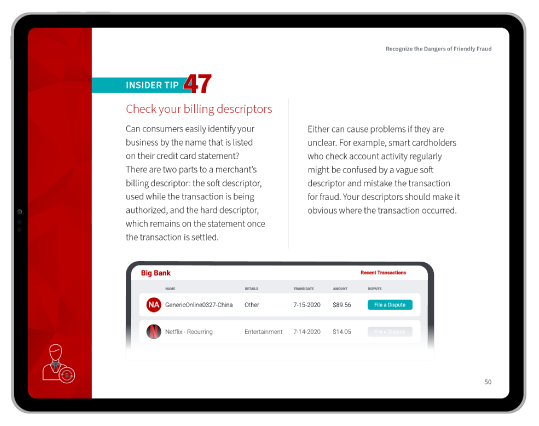

These days, the chargeback scales mentioned above are far from balanced. Merchants are almost always unfairly represented in a chargeback dispute. There are two main culprits here:
 Amex and other card networks generally err on the side of their cardholders because it proves less costly and more prudent.
 Inattentive or dishonest cardholders can process illegitimate disputes. As such, friendly fraud and other forms of cyber shoplifting now account for more than 60% of all incoming chargebacks across the globe.
The good news is that the card networks have been paying attention.
Each network has expanded its dispute resolution efforts through simplified online portals like the American Express Dispute Center. While it won’t prevent every chargeback a merchant might receive, it can eliminate many disputes that might otherwise have been chargebacks.
Have Questions?
For merchants, disputing chargebacks is a complicated, time-intensive process. American Express offers as much support as possible, but ultimately, the bulk of the work will fall on your shoulders.
To learn how chargeback management can help beyond the minimal assistance offered through American Express and other networks, talk to Chargebacks911® about a free chargeback analysis today.